
Samsung’s One UI 9 is now rolling out, and it is the biggest Galaxy AI update since the feature set launched with the Galaxy S24. Built on Android 17, it arrived first on the Galaxy Z Fold8, Fold8 Ultra and Flip8 on July 22, 2026, reached the Galaxy S26 series from September 16, and is now spreading to older Galaxy phones and tablets. Some features are brand new (My FanCam, editable Now Brief cards, AI-powered Privacy Alerts), while others, like Now Nudge and Creative Studio, started on the S26 and are now on more devices. This guide lists every Galaxy AI feature you can use in late 2026, which phones get what, and exactly how to use the most useful ones.
- One UI 9 (Android 17): Fold8/Flip8 from July 22, 2026; Galaxy S26 from September 16, 2026; older flagships after.
- New in One UI 9: My FanCam, generative and editable Now Brief cards, Security Brief, on-device Privacy Alerts, faster Interpreter with Thread View, better Document Scan and structured Voice Recorder summaries.
- From the S26: Now Nudge, Creative Studio, Photo Assist, agentic Gemini tasks and a smarter Bixby, many of which came to the S25, S24 and 2024-2025 foldables with One UI 8.5 in May 2026.
- Classic Galaxy AI (Live Translate, Interpreter, Note Assist, Transcript Assist, Audio Eraser, Circle to Search) still works on all supported phones.
- Many features need a Samsung Account sign-in, and availability varies by country and language.
One UI 9 Rollout: Dates and Phones
Samsung changed its rhythm this year. One UI 8.5 landed as a big mid-cycle update in May 2026, bringing many Galaxy S26 features to older phones. Only two months later, One UI 9 debuted with the new foldables. Here is the timeline as of early November 2026:
| Date | Update | Devices |
|---|---|---|
| Week of May 11, 2026 | One UI 8.5 stable | Galaxy S25 series and S25 FE, S24 series and S24 FE, Z Fold7, Z Flip7, Z Fold6, Z Flip6, Tab S11 and Tab S10 series |
| July 22, 2026 | One UI 9 launch | Galaxy Z Fold8, Z Fold8 Ultra, Z Flip8 (out of the box) |
| September 16, 2026 | One UI 9 stable | Galaxy S26, S26+, S26 Ultra (Korea first, then the US and more countries in late September) |
| October 2026 onward | One UI 9 stable | Older flagships and foldables, rolling out by region |
To check, open Settings > Software update > Download and install. Updates arrive in waves by country and carrier, so it can take a few days after the first reports.
What Is New in Galaxy AI With One UI 9
These are the features Samsung highlighted in its official One UI 9 rollout announcement on September 16, 2026:
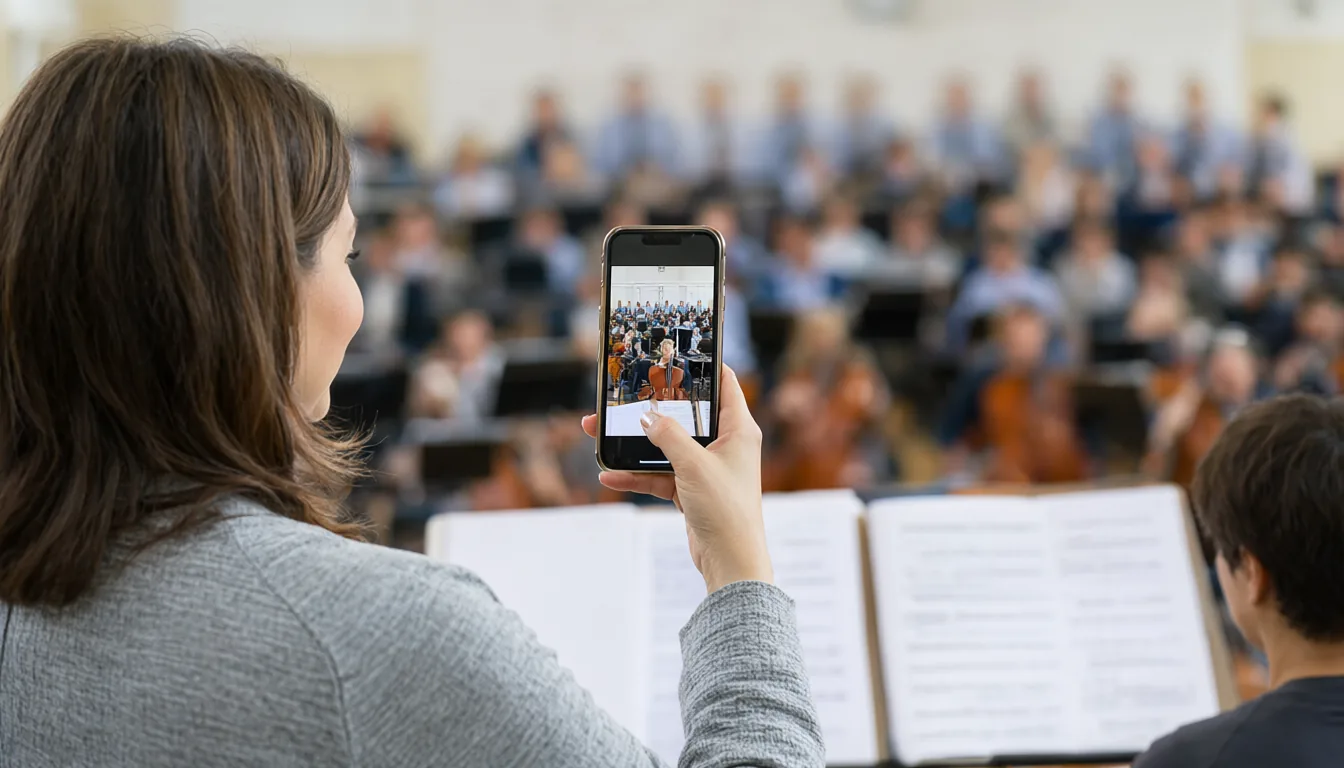
- My FanCam: pick a person while recording video and the camera automatically tracks them and keeps them centred. Great for school concerts, sports and stage shows. Requires a Samsung Account and needs a visible subject.
- Generative and editable Now Brief cards: Now Brief, the personalised daily summary, now lets you create your own cards for health, weather and video, so the brief shows what you actually care about.
- Security Brief: Now Brief also surfaces malware warnings, apps from unknown sources and unnecessary permissions.
- Privacy Alerts: on-device AI flags when an app tries to access data in the background that it does not seem to need, such as precise location or call logs.
- Interpreter upgrades: a new Thread View to scroll back through earlier translated exchanges, faster Conversation mode and quicker playback through compatible Galaxy Buds.
- Document Scan: handles curved book pages and folded corners better, with an improved finger eraser.
- Voice Recorder: AI summaries now come structured with headings and tables.
- Scam Detection: expanding to more countries and languages, with Japan, Canada and India named.
- Warranty and Care: a new Settings page that runs diagnostics, shows repair estimates and manages Samsung Care+.
The Fold8 series also adds an AI Assistant Activity dashboard that shows AI automations running on your behalf in one place, and the Fold8 Ultra gets Cine LUT colour grading. The Flip8’s cover screen has an AI-native FlexWindow.
Galaxy S26 AI Features Now on More Phones
Samsung introduced a new generation of “agentic” Galaxy AI with the Galaxy S26 at Unpacked in February 2026. Most of it moved to older phones with One UI 8.5 and carries forward in One UI 9:
- Now Nudge: reads the context of a chat and offers a timely suggestion. If a friend asks about tonight, it checks your calendar for conflicts. If someone shares an address, it offers to save it. It works in Samsung Messages, Google Messages and Google Chat.
- Photo Assist: edit photos by typing what you want, such as “make it night time” or “restore the missing part of the wall”. In One UI 8.5 it gained continuous generation, so you can keep generating versions and pick from your history instead of saving every attempt.
- Creative Studio: turns an image into stickers, invitations, profile cards or wallpapers from one prompt, and now suggests ideas for upcoming events like a friend’s birthday.
- Agentic Gemini: long-press the side button and Gemini can run multi-step tasks in the background, such as building a grocery list or arranging a food order.
- Smarter Bixby: finds settings even when you do not know their exact name (“my screen is too yellow at night”), answers questions and keeps a conversation history in a side panel.
- Circle to Search: recognises several objects in one circle, so circling an outfit returns results for the jacket, shoes and bag separately.
Classic Galaxy AI Features (Still Here)
The original Galaxy AI tools from 2024 and 2025 are still part of One UI 9 and remain some of the most useful:
- Live Translate: two-way translation of phone calls in the Phone app, and in supported third-party calling apps.
- Interpreter: split-screen, face-to-face translation for conversations and a listening mode for lectures.
- Note Assist: summarise, format and translate notes in Samsung Notes.
- Transcript Assist: transcribe and summarise recordings in Voice Recorder, with speaker labels.
- Writing Assist and Chat Assist: fix grammar, change tone or translate as you type in Samsung Keyboard.
- Audio Eraser: reduce wind, crowd noise or music in videos you recorded.
- Generative Edit and Sketch to Image: move or erase objects in photos and turn doodles into images.
- Browsing Assist: summarise and translate web pages in Samsung Internet.
Full Galaxy AI Feature Table
| Feature | App | Introduced | Best for |
|---|---|---|---|
| My FanCam | Camera | One UI 9 | Filming one person in a crowd |
| Editable Now Brief cards | Now Brief | One UI 9 | Personal daily summary |
| Privacy Alerts / Security Brief | Settings, Now Brief | One UI 9 | Spotting nosy apps |
| Interpreter Thread View | Interpreter | One UI 9 | Travel conversations |
| Now Nudge | Keyboard / Messages | Galaxy S26 | Plans and reminders from chats |
| Photo Assist | Gallery | Galaxy S26 | Text-prompt photo edits |
| Creative Studio | Gallery / standalone | Galaxy S26 | Stickers, invites, wallpapers |
| Agentic Gemini tasks | Side button | Galaxy S26 | Multi-step errands |
| Scam Detection | Phone | 2025-2026 | Warning on suspicious calls |
| Live Translate | Phone | Galaxy S24 | Calls in another language |
| Note Assist / Transcript Assist | Notes / Voice Recorder | Galaxy S24 | Meetings and lectures |
| Audio Eraser | Gallery video editor | Galaxy S25 | Cleaning noisy video |
| Circle to Search | System-wide | Galaxy S24 | Identify anything on screen |
How to Use the Best Galaxy AI Features
First, turn Galaxy AI on
Open Settings > Galaxy AI. Each feature has its own page and toggle. Sign in to your Samsung Account, since FanCam, Now Brief cards and several others require it. On many feature pages you can also choose Process data only on device, which keeps supported features offline at the cost of some capabilities.
My FanCam
- Open Camera and switch to Video.
- Start recording and tap the person you want to follow.
- The camera tracks and reframes them automatically; tap elsewhere to switch subjects.
Photo Assist
- Open a photo in Gallery and tap the Galaxy AI (sparkle) button.
- Type or say your edit, for example “change the sky to sunset”.
- Keep generating until you like a version, then pick it from the history and save. Edited images get a visible AI watermark and metadata.
Interpreter
- Swipe down to Quick panel and tap Interpreter (add it via the pencil icon if missing).
- Pick both languages and choose Conversation or Listening mode.
- Download the language packs in Settings > Galaxy AI > Interpreter to translate offline.
Now Nudge
Now Nudge works quietly in supported messaging apps. When it spots something actionable, a small suggestion appears above Samsung Keyboard. Tap it to see your calendar, a saved location or a reservation. Turn it on or off in Settings > Galaxy AI > Now Nudge.
Circle to Search
Long-press the navigation handle (or home button) and circle, scribble on or tap anything on screen. Results appear in a sheet with options to translate, shop or ask a follow-up question.
Gemini vs Bixby on Galaxy Phones
Galaxy phones now have two assistants. Gemini is the default for long-press of the side button on newer models and handles questions, agentic tasks and Google app actions. Since September 2026, Google has also been replacing the old Google Assistant with Gemini on Galaxy phones, watches, Buds and Android Auto; I explain that change in my Gemini replaces Google Assistant guide. Bixby is Samsung’s own assistant and is now best at device control: changing settings, routines and Samsung apps. You can choose what the side button does in Settings > Advanced features > Side button.
Privacy: What Runs on the Phone
Samsung uses a mix of on-device and cloud models. Scam Detection runs an on-device Gemini model, and Privacy Alerts uses on-device AI. Samsung says personal data used by its Personal Data Engine is encrypted with Knox Enhanced Encrypted Protection, with the most sensitive data isolated in Knox Vault. Generative photo edits, Creative Studio and Gemini tasks use cloud processing. If that bothers you, enable on-device processing in Settings > Galaxy AI and avoid the cloud-only features.
Tips and Settings Worth Changing
- Download Interpreter language packs before travelling so translation works without data.
- Customise Now Brief by adding your own cards and removing ones you never read.
- Review Privacy Alerts weekly and revoke permissions for apps flagged as over-reaching.
- Turn on Auto blocker in Settings > Security and privacy; One UI 8.5 lets you pause it for 30 minutes when sideloading.
- Use Voice Recorder summaries for meetings: the new tables make action items easier to scan.
Galaxy AI Not Working? Fixes
| Problem | Fix |
|---|---|
| New One UI 9 features missing | Settings > Software update > Download and install. Rollouts go by country and carrier, so wait a few days if nothing appears. |
| Galaxy AI menu missing | Sign in to your Samsung account, then check Settings > Galaxy AI. Some features need a supported language and region. |
| Feature says it needs a network | That tool uses the cloud. Turn on Wi-Fi or data, or use on-device alternatives after enabling on-device processing. |
| Interpreter or Live Translate fails offline | Download the language packs in Settings > Galaxy AI before you travel. |
| Circle to Search or Gemini does not open | Settings > Display > Navigation bar: enable Circle to Search; set Gemini as the digital assistant in Settings > Apps > Default apps. |
| Generative edit refused | Photos with real faces, IDs or copyrighted items can be blocked. Try a simpler edit or another photo. |
| Battery drain after the update | Normal for the first two or three days while the phone re-indexes. If it continues, clear the cache partition from recovery mode or check Battery usage. |
Frequently Asked Questions
Is Galaxy AI free?
The features in this guide work on supported Galaxy phones without a separate Samsung subscription. Samsung’s footnotes have long said some features could become paid in future, so check the Galaxy AI page for your region. Gemini’s advanced tiers (Google AI Pro and Ultra) are separate Google subscriptions.
Which phones get One UI 9?
The Fold8, Fold8 Ultra and Flip8 ship with it, the Galaxy S26 series got it from September 16, 2026, and older flagships, foldables and tablets are following in waves.
Does the Galaxy S24 get Now Nudge and Photo Assist?
Many S26 features reached the S24 and S25 series through One UI 8.5 in May 2026. A few hardware-dependent features remain on newer models only, so check Settings > Galaxy AI on your phone.
Can I use Galaxy AI offline?
Partly. Live Translate, Interpreter (with language packs), Scam Detection and Privacy Alerts can run on device. Photo Assist, Creative Studio and Gemini tasks need the internet.
How do I turn off Galaxy AI?
Each feature has a toggle in Settings > Galaxy AI. Turn off the ones you do not want; there is no single master switch.
Will Galaxy AI features stay free?
Samsung has said core Galaxy AI features remain free on supported phones. Some Gemini extras, such as higher limits, depend on a Google AI subscription.
How do I check my One UI version?
Open Settings > About phone > Software information and look at One UI version.
Final Thoughts
One UI 9 makes Galaxy AI feel less like a demo and more like a quiet helper. My FanCam and the new Privacy Alerts are the standouts, and Now Nudge is the first “proactive” feature that is useful rather than annoying. If you are on a Galaxy S24 or newer, update, open Settings > Galaxy AI and spend ten minutes switching on what you need.
Comparing phones? See my guides to Pixel 11 AI features and Apple Intelligence in iOS 27.
Sources
- Samsung Newsroom: Samsung begins official rollout of One UI 9 (Sept 16, 2026)
- Android Authority: One UI 9 stable with Galaxy Z Fold8
- Android Authority: Stable One UI 9 for Galaxy S26
- Tom’s Guide: One UI 8.5 launches for millions of Samsung phones
- Samsung: Galaxy S26 series AI innovations
- SamMobile: When Gemini replaces Google Assistant on Galaxy devices