
Workstation GPUs used to be something only CAD studios bought. In 2026 they are the most interesting cards for local AI, because they are the only way to get 32 GB, 48 GB, 72 GB or 96 GB of VRAM on a single card, often in a two-slot design that lets you put several in one machine. This guide compares the best workstation GPUs for AI you can buy right now, from Intel’s 32 GB Arc Pro B70 to NVIDIA’s 96 GB RTX PRO 6000 Blackwell, with current prices, the specs that matter for LLMs and image/video models, and which one fits which budget.
- Best overall: NVIDIA RTX PRO 6000 Blackwell, 96 GB GDDR7 at 1,792 GB/s. Runs gpt-oss-120b at about 163 tokens/s. Launched at $8,565; now often far above that.
- Best 48-72 GB: RTX PRO 5000 Blackwell (1,344 GB/s, 300 W). The 72 GB version was listed from about $9,400 on 4 November 2026.
- Best value 32 GB: AMD Radeon AI PRO R9700 (640 GB/s, about $1,700-$1,850) or Intel Arc Pro B70 (608 GB/s, $949 at launch).
- Small and efficient: RTX PRO 4000 Blackwell (24 GB) and RTX PRO 4500 Blackwell (32 GB) for compact, low-power builds.
- Rent before you buy: an RTX PRO 6000 costs about $2.35-$2.49 an hour in the cloud.
Why a Workstation GPU for AI?
- More VRAM per card. Gaming cards top out at 32 GB (RTX 5090). Workstation cards go to 48, 72 and 96 GB, so 70B models and big MoE models fit on one card.
- Blower or compact coolers. Many pro cards are two slots or less and exhaust heat out of the case, so you can stack two to four in one tower.
- ECC memory and pro drivers. Useful for long training runs and certified software.
- Lower power options. Max-Q and 140-300 W models make multi-GPU builds possible on a normal power supply.
The downside is price per unit of speed: for the same money, a gaming card is often faster on small models. If your models fit in 16-32 GB, start with the best GPU for local LLMs instead.
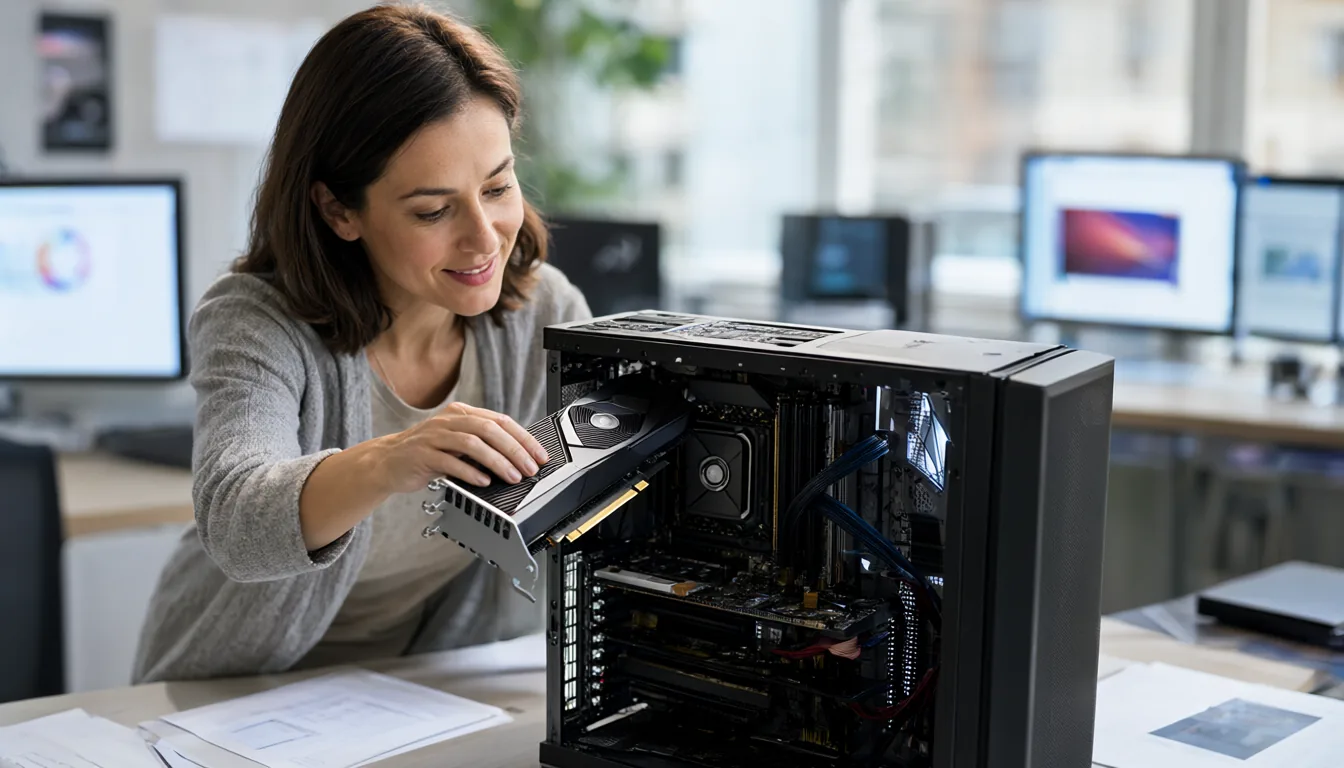
Comparison Table
| Card | VRAM | Bandwidth | Power | Price (launch / Nov 2026) |
|---|---|---|---|---|
| RTX PRO 6000 Blackwell | 96 GB GDDR7 ECC | 1,792 GB/s | 600 W (Max-Q 300 W) | $8,565 / about $16,000 retail reported |
| RTX PRO 5000 Blackwell 72 GB | 72 GB GDDR7 | 1,344 GB/s | 300 W | – / from about $9,400 |
| RTX PRO 5000 Blackwell 48 GB | 48 GB GDDR7 | 1,344 GB/s | 300 W | $4,400-$7,500 range in late 2025 |
| RTX PRO 4500 Blackwell | 32 GB GDDR7 | – | low power | check current |
| RTX PRO 4000 Blackwell | 24 GB GDDR7 | – | single slot | check current |
| Radeon AI PRO R9700 | 32 GB GDDR6 | 640 GB/s | 300 W | $1,299 / $1,700-$1,850 |
| Intel Arc Pro B70 | 32 GB GDDR6 | 608 GB/s | 160-290 W | $949 / reported up to about double |
| Intel Arc Pro B65 | 32 GB GDDR6 | 608 GB/s | – | not announced at launch |
Prices: RTX PRO 6000 launch listing from Tom’s Hardware; current retail from Spheron (31 October 2026). RTX PRO 5000 72 GB from gpuprix (4 November 2026). R9700 from RunAIHome (27 October 2026). Arc Pro B70 launch price from Tom’s Hardware; current trend from Wccftech (3 November 2026).
NVIDIA RTX PRO 6000 Blackwell (96 GB)
The RTX PRO 6000 is the most capable single GPU you can put in a desktop. It uses a nearly full GB202 chip (24,064 shaders, 752 tensor cores) with 96 GB of GDDR7 ECC on a 512-bit bus, for 1,792 GB/s. The Workstation Edition draws up to 600 W; the Max-Q Edition is a 300 W blower card designed for multi-GPU towers.
Real numbers: LMSYS measured about 215 tokens/s decode and 10,108 tokens/s prefill on gpt-oss-20b, and StorageReview measured about 163 tokens/s on gpt-oss-120b and 197 tokens/s on Llama 3.1 8B in LM Studio. With 96 GB you can run 70B models at Q8, gpt-oss-120b entirely on the GPU, and video models like Wan 2.2 and MiniMax H3 at full precision without offload tricks.
Buy it if: you need the biggest models on one card and run them every day. Rent it if: you need it occasionally. RunPod lists it at $2.49 an hour and Spheron at $2.35 (spot $1.11).
NVIDIA RTX PRO 5000 Blackwell (48 GB / 72 GB)
The RTX PRO 5000 uses a cut-down chip (14,080 shaders, 110 SMs) with 1,344 GB/s of bandwidth at 300 W. The original has 48 GB; the 72 GB version uses the same chip with denser memory. 72 GB is a very useful size: it holds a 70B model at Q6 with long context, or a 120B MoE at Q4 entirely in VRAM. Two of them in one machine give you 144 GB at 600 W total, less power than a single RTX PRO 6000 Workstation Edition.
RTX PRO 4500 and RTX PRO 4000
The smaller Blackwell pro cards are about efficiency and size rather than capacity. The RTX PRO 4500 has 32 GB and the RTX PRO 4000 has 24 GB, the 4000 in a single-slot design. They suit compact workstations, small servers and multi-card inference boxes where power and slots are limited. For a single desktop, a 32 GB AMD or Intel card is usually cheaper for the same capacity.
AMD Radeon AI PRO R9700 (32 GB)
The R9700 is AMD’s RDNA 4 workstation card: 64 compute units, 32 GB of GDDR6 at 640 GB/s and 300 W board power. ROCm 7.2 (January 2026) officially supports it on Linux and Windows, and llama.cpp runs well through ROCm or Vulkan. RunAIHome measured about 127 tokens/s on Qwen3.5-35B-A3B with Vulkan (156 with tuning) and 29-33 tokens/s on the dense Qwen3.5-27B at Q4_K_M. Prompt processing is slower than NVIDIA (about 2,700 vs 7,000 tokens/s against an RTX 5090 on a 512-token prompt).
At $1,700-$1,850 it is the cheapest new 32 GB card you can reliably find. Two of them give 64 GB for about the price of one RTX 5080 at today’s markup. For Ollama, set OLLAMA_VULKAN=1 if it does not detect the card.
Intel Arc Pro B70 and B65 (32 GB)
Intel’s “Big Battlemage” launched in March 2026: the Arc Pro B70 has 32 Xe cores, 32 GB of GDDR6 at 608 GB/s and a configurable 160-290 W, from $949 for Intel’s reference design (partners include ASRock, Gunnir, Maxsun and Sparkle). The Arc Pro B65 has the same 32 GB and bandwidth with 20 Xe cores. At launch price the B70 was the cheapest 32 GB card ever, but Wccftech reports prices have roughly doubled since. Software support (llama.cpp via Vulkan and SYCL, LM Studio, OpenVINO) is good for inference but thinner than CUDA for image and video tools.
Multi-GPU Workstation Builds
Three realistic builds for late 2026:
| Build | Total VRAM | Approx. GPU cost | Good for |
|---|---|---|---|
| 2x Radeon AI PRO R9700 | 64 GB | $3,400-$3,700 | 70B at Q4-Q5, 120B MoE with a little offload |
| 2x RTX PRO 5000 72 GB | 144 GB | about $19,000 | 120B-200B MoE on GPU, fine-tuning |
| 2-4x RTX PRO 6000 Max-Q | 192-384 GB | $30,000+ | Serving large models to a team, full fine-tunes |
Practical points: use a workstation board with enough PCIe lanes (Threadripper or Xeon W), plan 300 W per Max-Q/R9700 card plus 300-400 W for the rest of the system, and use vLLM or SGLang tensor parallel for speed, or llama.cpp layer split for simplicity. Memory planning is the same as in my VRAM requirements guide.
Workstation GPU vs DGX Spark vs Mac Studio
If you want lots of memory for big models but do not need top speed, unified-memory machines compete with workstation GPUs:
- DGX Spark (128 GB at 273 GB/s, now $6,950; 64 GB version $4,999): full CUDA stack, but about a quarter of an RTX PRO 6000’s decode speed on gpt-oss-20b in LMSYS’s test.
- Mac Studio M5 Ultra (96-512 GB at about 1.2 TB/s, from $5,499): the most memory per dollar at high bandwidth, no CUDA.
I compare these in depth in Mac vs PC for local AI.
Workstation Build Checklist
| Part | What to get | Why |
|---|---|---|
| Power supply | GPU watts + 300-400 W for the rest, with 20% headroom; ATX 3.1 with native 12V-2×6 cables for NVIDIA | AI loads run at full power for hours |
| Cooling style | Blower or Max-Q cards for 2+ GPUs side by side; flow-through (600 W PRO 6000) for one card in a well-ventilated case | Flow-through cards dump heat into the case and onto the card above |
| Motherboard and CPU | Threadripper or Xeon W for 2-4 GPUs; desktop boards for one card | Enough PCIe lanes and slot spacing |
| System RAM | At least the total VRAM, ideally 1.5-2x | Loading and offloading models goes through system RAM |
| Storage | 2-4 TB NVMe for models | Large models are 50-200 GB each |
| Drivers | NVIDIA RTX Enterprise driver for PRO cards; AMD PRO Edition driver or ROCm on Linux for the R9700 | Certified, stable drivers for long jobs |
Workstation GPU Problems and Fixes
| Problem | Fix |
|---|---|
| Card throttles during long runs | Improve case airflow, leave a slot gap between cards, or switch to Max-Q or blower models. |
| Only one of two GPUs used | Set tensor parallel in vLLM (--tensor-parallel-size 2) or split layers in llama.cpp; check both cards show in nvidia-smi or rocm-smi. |
| R9700 not detected by PyTorch | Install the ROCm build of PyTorch for your ROCm version, on a supported Linux distribution. |
| Arc Pro B70 slow in LLM apps | Use llama.cpp with Vulkan or SYCL backends or Intel’s IPEX-LLM builds, and update to the latest driver. |
| Melting or hot 12V-2×6 connector | Make sure the plug is fully seated with no bend near the socket; use the PSU’s native cable rather than adapters. |
Frequently Asked Questions
What is the best workstation GPU for AI?
The NVIDIA RTX PRO 6000 Blackwell with 96 GB of GDDR7 at 1,792 GB/s is the best single workstation GPU for AI in 2026. For tighter budgets, the 32 GB Radeon AI PRO R9700 and Intel Arc Pro B70 offer the most VRAM per dollar.
Is the RTX PRO 6000 better than the RTX 5090 for AI?
It has the same bandwidth and a similar chip but three times the VRAM (96 GB vs 32 GB), so it runs much bigger models. For models that fit in 32 GB, speed is similar.
How much does the RTX PRO 6000 cost?
It was listed at $8,565 at launch in 2025. With the 2026 memory shortage, retail prices of around $16,000 have been reported. Renting costs about $2.35-$2.49 an hour.
Can AMD workstation GPUs run LLMs?
Yes. The Radeon AI PRO R9700 is officially supported by ROCm 7.2 and runs llama.cpp, LM Studio and Ollama (with Vulkan if needed). CUDA-only tools will not run.
Do I need ECC memory for AI?
Not for inference at home. ECC helps with very long training runs and production servers where a silent memory error would be costly.
Can I mix a workstation GPU with a gaming GPU?
Yes for most AI tools, as long as both are from the same vendor so one driver covers them. Expect the faster card to wait for the slower one when a model is split across both.
Final Thoughts
If you can afford it, the RTX PRO 6000 is the one card that does everything. For most people, though, the smart buy in late 2026 is one or two 32 GB cards from AMD or Intel for LLMs, plus a rented RTX PRO 6000 or H100 for the occasional giant job. Check rental prices in the cheapest cloud GPU guide before spending five figures.
Sources
- Tom’s Hardware: RTX PRO 6000 Blackwell listed for $8,565
- Tom’s Hardware: RTX PRO 5000 Blackwell 72 GB
- gpuprix: RTX PRO 5000 72 GB price (4 Nov 2026)
- Spheron: DGX Spark vs RTX PRO 6000 (31 Oct 2026)
- RunAIHome: Radeon AI PRO R9700 guide (27 Oct 2026)
- Tom’s Hardware: Intel Arc Pro B70 and B65
- Wccftech: November 2026 GPU price increases
- RunPod pricing (5 Nov 2026)