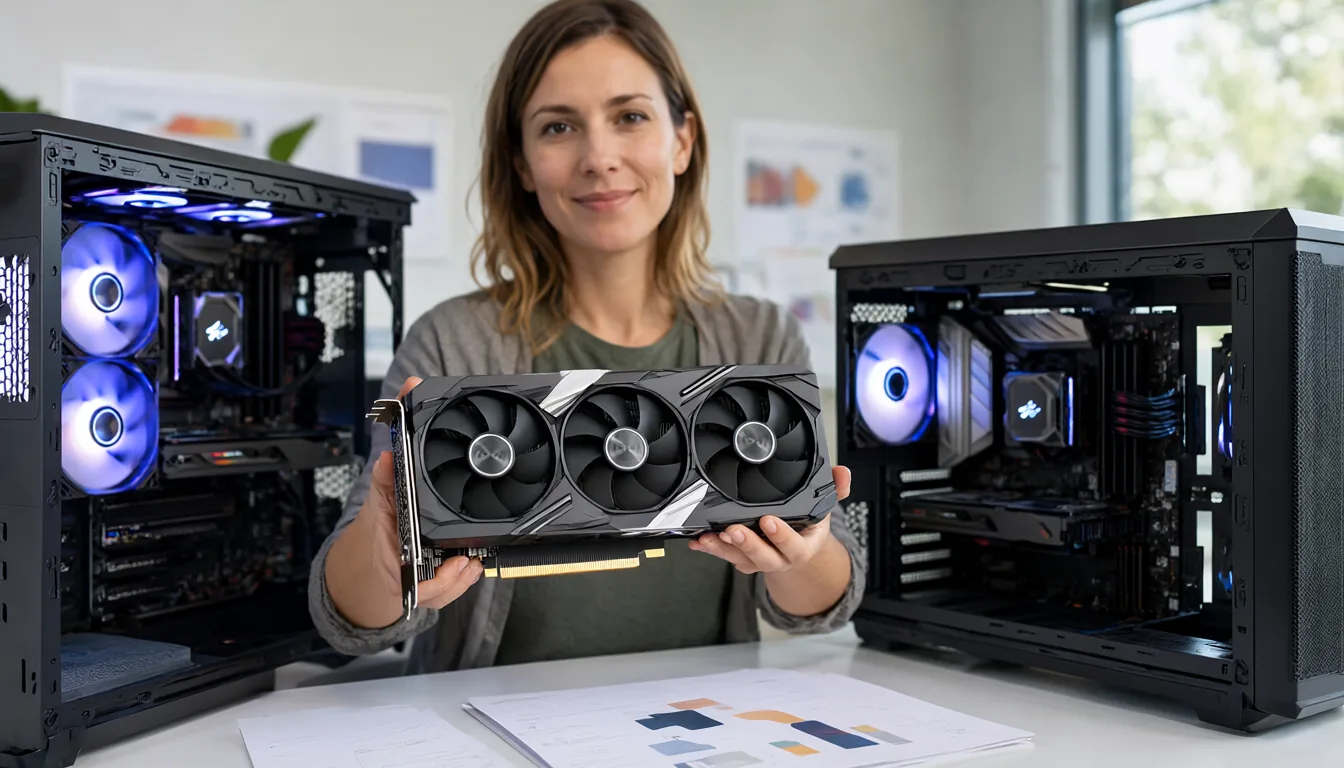
Picking the best GPU for local LLMs in November 2026 is a different job from a year ago. Memory chips are in short supply, RTX 50 prices went up again this week, the RTX 50 Super refresh still has no launch date, and a used RTX 3090 now costs more than a new RTX 5070 Ti did at launch. On the other hand there are new 32 GB cards from AMD and Intel, Apple’s M5 Max and M5 Ultra Mac Studios, and NVIDIA’s DGX Spark. This guide ranks the cards that are worth buying right now by the one spec that matters most for local AI (VRAM), shows what each one can run, and uses real street prices checked this week.
- Best value right now: RTX 5060 Ti 16 GB (about $770). It runs 14B-20B models fully on the GPU and MoE models like Qwen3.5-35B-A3B with RAM offload.
- Best 32 GB for the money: AMD Radeon AI PRO R9700 (about $1,700-$1,850) or Intel Arc Pro B70 if you find one near list price. Both fit 27B-32B models at Q4 with room for context.
- Fastest single card: RTX 5090 32 GB (1,792 GB/s), but the cheapest new listings are near $6,900, so it is hard to justify today.
- 70B and bigger: two 24-32 GB cards, a Mac Studio M5 Max 128 GB (from $2,499 base) / M5 Ultra, or an RTX PRO 6000 96 GB if budget is no object.
- Rule of thumb: VRAM decides what fits, memory bandwidth decides how fast it talks.
What Matters in a GPU for LLMs
Gaming benchmarks are close to useless for choosing an AI card. Three specs decide how a GPU handles a local language model:
- VRAM (capacity). The model weights, plus the KV cache for your context, must fit in video memory for full speed. A 27B model at Q4_K_M is about 16-18 GB, a 32B model about 20 GB and a 70B model about 42 GB. If the model spills into system RAM, speed drops by 5-20 times on dense models.
- Memory bandwidth. When the model is generating text, every token reads (most of) the weights once. So tokens per second is roughly bandwidth divided by model size. An RTX 5090 at 1,792 GB/s running a 20 GB model has a ceiling near 90 tokens/s; a 448 GB/s RTX 5060 Ti running the same file would top out near 22 tokens/s if it fit.
- Software support. NVIDIA CUDA works with everything (Ollama, llama.cpp, vLLM, LM Studio, ComfyUI). AMD works well in llama.cpp through Vulkan or ROCm, and Intel works through Vulkan and SYCL/IPEX, but you will hit more rough edges.
Compute speed (TFLOPS) matters for prompt processing and for image and video models, but for chatting with an LLM, capacity and bandwidth come first. If you are not sure how much memory you need, read my VRAM requirements guide for LLMs, images and video first.
GPU Prices in November 2026
Prices are the big story this autumn. The global memory shortage (AI data centres are buying HBM and DRAM faster than it can be made) has pushed GDDR7 costs up, and board partners raised RTX 50 prices again in November. Wccftech reported on 3 November that Colorful’s cost prices rose by roughly $330-$550 for the RTX 5090D v2 and $380-$450 for the RTX 5080, with smaller rises down to the RTX 5060. I explain the causes in why GPU prices are so high in 2026.
These are the cheapest US prices I could confirm this week (new cards unless marked):
| GPU | VRAM | Bandwidth | Launch MSRP | Street price (Nov 2026) |
|---|---|---|---|---|
| RTX 5090 | 32 GB GDDR7 | 1,792 GB/s | $1,999 | about $6,900+ |
| RTX 5080 | 16 GB GDDR7 | 960 GB/s | $999 | about $2,000 |
| RTX 5070 Ti | 16 GB GDDR7 | 896 GB/s | $749 | about $1,400 |
| RTX 5070 | 12 GB GDDR7 | 672 GB/s | $549 | about $900 |
| RTX 5060 Ti 16 GB | 16 GB GDDR7 | 448 GB/s | $429 | about $770 |
| Radeon AI PRO R9700 | 32 GB GDDR6 | 640 GB/s | $1,299 | about $1,700-$1,850 |
| Intel Arc Pro B70 | 32 GB GDDR6 | 608 GB/s | $949 | reported up to roughly double |
| RX 9070 XT | 16 GB GDDR6 | 640 GB/s | $599 | approaching $1,000 |
| RTX 3090 (used) | 24 GB GDDR6X | 936 GB/s | $1,499 (2020) | about $1,450 median on eBay |
Street prices come from Tom’s Hardware’s GPU price tracker (3 November update, as reported by Tech Insider), Wccftech’s 3 November report, RunAIHome’s R9700 tracker (27 October) and the eBay sales data in OpenClaw’s used-3090 analysis (24 September). They move daily, so treat them as a snapshot.
Quick Picks by Budget
| Budget | Best pick | What it runs well |
|---|---|---|
| Under $800 | RTX 5060 Ti 16 GB | 8B-20B dense at Q4-Q6; 30B-class MoE with offload |
| $900-$1,500 | Used RTX 3090 24 GB or RTX 5070 Ti 16 GB | 3090: 27B-32B at Q4. 5070 Ti: faster on 14B-20B |
| $1,500-$2,000 | Radeon AI PRO R9700 32 GB | 32B at Q5-Q6, 27B with long context, MoE up to ~50B |
| $2,500-$6,000 | Mac Studio M5 Max (up to 128 GB) or 2x 24-32 GB cards | 70B at Q4, 100B+ MoE |
| $6,000+ | RTX 5090, DGX Spark, M5 Ultra or RTX PRO 6000 | Depends: speed (5090), capacity (Spark, Mac), both (PRO 6000) |
Best 16 GB GPUs
RTX 5060 Ti 16 GB: the best value card
The 5060 Ti 16 GB is the cheapest current NVIDIA card with 16 GB. Its weak spot is bandwidth (448 GB/s on a 128-bit bus), so it is roughly half as fast as an RTX 3090 on any model that fits both. But 16 GB is enough for Gemma 4 12B, Qwen3.8-class 14B models, gpt-oss-20b and MiMo-V2.6 9B with long context, and mixture-of-experts (MoE) models with few active parameters run surprisingly well even when part of them sits in system RAM. For a first AI PC it is the card I would buy today. My best Ollama models by VRAM list shows what fits on 16 GB.
RTX 5070 Ti and RTX 5080: faster, same capacity
Both have 16 GB, with 896 GB/s and 960 GB/s of bandwidth, so they generate about twice as fast as the 5060 Ti on the same model. They also have much more compute, which helps image and video generation in ComfyUI. The problem is price: at about $1,400 and $2,000 you are paying a lot for speed without more capacity. I run two RTX 5080s myself, and 16 GB per card is the limit I hit most often. If speed on small models matters (coding autocomplete, agents that make many calls) they are excellent; if you want bigger models, put the money into more VRAM instead.
RX 9070 XT
16 GB and 640 GB/s, and it works with llama.cpp via Vulkan. Close to $1,000 now, it no longer undercuts the 5070 Ti by much, and CUDA-only tools (many ComfyUI nodes, some vLLM features) will not run. Buy it only if you also game and the price is right.
Best 24-32 GB GPUs
24-32 GB is the sweet spot for local AI in 2026: it fits the 27B-35B models that are now as good as last year’s 70B models, with enough left for a 16K-32K context.
Used RTX 3090 24 GB
Still 936 GB/s and 24 GB, still fully supported by everything. The catch is that the average used price has climbed to around $1,450 (up 13.8% in 30 days in September), so it is no longer cheap. It remains the cheapest way to get high bandwidth, and two of them give you 48 GB for 70B models. See my used RTX 3090 buying guide before you buy one.
Radeon AI PRO R9700 32 GB
AMD’s RDNA 4 workstation card has 32 GB GDDR6, 640 GB/s and a 300 W board power. ROCm 7.2 officially supports it (gfx1201) on Linux and Windows. In llama.cpp, RunAIHome measured about 127 tokens/s on Qwen3.5-35B-A3B (Vulkan) and 29-33 tokens/s on the dense Qwen3.5-27B at Q4_K_M. At $1,700-$1,850 it is the cheapest new 32 GB card you can reliably buy. Note: Ollama’s bundled ROCm libraries may lack gfx1201 kernels, so set OLLAMA_VULKAN=1 if Ollama ignores the card.
Intel Arc Pro B70 32 GB
Launched in March 2026 at $949 with 32 Xe cores, 32 GB GDDR6 and 608 GB/s. At list price it was the best VRAM-per-dollar card on the market. Wccftech reports prices have roughly doubled since, so check before buying. Software is the weakest of the three vendors, but llama.cpp (Vulkan and SYCL) and LM Studio run on it.
RTX 5090 32 GB
The fastest consumer AI card by a wide margin: 32 GB GDDR7 and 1,792 GB/s, so it generates about twice as fast as an RTX 3090 and has far more compute for image and video models. At launch MSRP ($1,999) it was the obvious pick. At the $6,900+ the cheapest new listings ask now, you could buy an R9700 plus a used 3090 and still have money left. Buy it only if you need maximum speed on one card or do a lot of video generation.
Running 70B to 120B Models
A 70B dense model needs about 42 GB at Q4_K_M plus context. Big MoE models (gpt-oss-120b, Qwen3.5-122B-A10B, Nemotron 3.5 Super) need 60-80 GB but only touch a few billion parameters per token, so they run fine from slower unified memory. Your options:
- Two GPUs. 2x RTX 3090 (48 GB) or 2x R9700 (64 GB). llama.cpp, Ollama and LM Studio split layers across cards automatically.
- Mac Studio M5 Max or M5 Ultra. The M5 Max Mac Studio (from $2,499) goes up to 128 GB of unified memory; the M5 Ultra (from $5,499 with 96 GB) offers about 1.2 TB/s and up to 512 GB. See Mac vs PC for local AI.
- NVIDIA DGX Spark. 128 GB of unified memory at 273 GB/s, now $6,950 (it launched at $3,999); a new 64 GB version costs $4,999. Great for capacity and CUDA compatibility, slow at token generation: LMSYS measured about 50 tokens/s on gpt-oss-20b versus 215 on an RTX PRO 6000.
- RTX PRO 6000 Blackwell 96 GB. 1,792 GB/s and 96 GB on one card. Launched at $8,565 and now well above that. It is covered in my workstation GPU guide.
- Rent. If you only need a big model now and then, an H100 or RTX PRO 6000 by the hour is far cheaper. Compare prices in the cheapest cloud GPUs for AI.
AMD and Intel: Do They Work?
Yes, for LLM inference. llama.cpp’s Vulkan backend runs on AMD, Intel and NVIDIA, and LM Studio and Ollama both ship it. ROCm 7.2 brought official RDNA 4 support. Where AMD and Intel still fall behind is the wider ecosystem: many ComfyUI custom nodes, FlashAttention builds, bitsandbytes and some vLLM features assume CUDA. If you only want to chat with models, AMD and Intel 32 GB cards are excellent value. If you also do image and video generation, NVIDIA is still the safe choice.
Two GPUs vs One Big GPU
For inference, splitting a model across two cards with llama.cpp’s default layer split does not add speed (the cards take turns), but it does add capacity, which is usually what you need. Two RTX 3090s at about $2,900 give 48 GB and 936 GB/s per card, which beats one RTX 5090’s 32 GB for 70B models. You need a power supply of 1,000 W or more, a board with two x16-length slots spaced for thick cards, and good airflow. Tensor parallel in vLLM can use both cards at once for more speed, but it wants matching cards and a fast link.
Cards to Avoid
- 8 GB cards (RTX 5060 8 GB, 5060 Ti 8 GB, 4060). They run 8B models at Q4 and little else. The 16 GB version of the 5060 Ti costs only a bit more.
- RTX 5070 12 GB at $900. Fast, but 12 GB limits you to 12B-14B models.
- Old datacenter cards (Tesla P40, M40). Cheap 24 GB, but no modern tensor cores, slow, passive cooling and poor support in new builds.
- Any card at far above MSRP without a reason. In this market, check whether renting covers your use first.
Should You Wait for RTX 50 Super?
The RTX 50 Super cards are expected to use 3 GB GDDR7 chips for up to 50% more VRAM (rumours point to a 24 GB RTX 5080 and an 18 GB 5070). They have been delayed repeatedly since late 2025 because of the same memory costs that are raising prices now. The latest rumour (10 October 2026, via eTeknix) puts a 24 GB RTX 5080 in Q1 2027. NVIDIA has confirmed nothing. If you need a card now, buy now. If 16 GB would leave you stuck, a 24-32 GB card today is better than waiting for a card with no date and no price.
After You Buy: Setup and First Model
- Install the latest driver: NVIDIA Studio or Game Ready driver; AMD Adrenalin (Windows) or ROCm (Linux); Intel Arc driver.
- Install Ollama or LM Studio. Both detect NVIDIA cards out of the box; on AMD they use ROCm or Vulkan, and on Intel use Vulkan builds.
- Pick a first model that fits your card: 16 GB cards: a 12B to 14B model at Q4 to Q6, such as
ollama run gemma4:12b. 24 to 32 GB cards: a 27B to 32B model at Q4, such asollama run qwen3.8:27b. - Confirm it runs on the GPU:
ollama psshould say 100% GPU. If it shows a CPU/GPU split, the model is too big for your VRAM. - Raise context carefully: long context uses extra VRAM for the KV cache. Increase it step by step and watch memory in
nvidia-smi.
GPU Not Working Well With Local LLMs? Fixes
| Problem | Fix |
|---|---|
ollama ps shows CPU or a split |
Choose a smaller model or lower quant, reduce context length, or close other apps using VRAM. |
| AMD card not used | Check your card is on the ROCm support list, or use LM Studio’s Vulkan runtime. |
| Two GPUs but only one used | Ollama and llama.cpp split across GPUs automatically when a model does not fit on one; for speed use vLLM tensor parallel with matching cards. |
| Speed dropped after an update | Roll back the driver or app version, and check the power plan is set to performance. |
| Crashes at high load | Check the PSU and power cables, and try a lower power limit; LLM speed barely changes. |
Frequently Asked Questions
What is the best GPU for local LLMs in 2026?
For most people, a card with at least 16 GB. The RTX 5060 Ti 16 GB is the best value, the Radeon AI PRO R9700 is the cheapest new 32 GB card, and the RTX 5090 is the fastest consumer card if you can accept its current price.
Is 16 GB of VRAM enough for local AI?
It is enough for 8B-20B models with long context and for MoE models with CPU offload. For dense 27B-32B models at good quality, 24-32 GB is better.
Is the RTX 4090 still good for AI?
Yes. 24 GB and 1,008 GB/s make it one of the best AI cards ever made. It is out of production, so you will only find it used, and prices vary a lot. Run a stress test before the return window closes.
Can I use an AMD GPU with Ollama?
Yes. Ollama supports many Radeon cards with ROCm, and you can force the Vulkan backend with OLLAMA_VULKAN=1 for newer cards like the R9700 and RX 9070 XT.
Why are GPUs so expensive right now?
AI data centres are consuming most of the world’s new memory production, which raised GDDR7 and DRAM costs, and NVIDIA prioritises datacenter chips. Board partners passed those costs on in several rounds of price rises in 2026.
How do I check how much VRAM my GPU has?
On Windows open Task Manager, Performance, GPU and read Dedicated GPU memory. On NVIDIA cards you can also run nvidia-smi in a terminal.
Final Thoughts
In a normal year I would tell everyone to buy the biggest NVIDIA card they can afford. In November 2026 the smartest move is to buy VRAM, not brand: a 16 GB RTX 5060 Ti if your budget is tight, a 32 GB R9700 or Arc Pro B70 if you want 27B-32B models, and a Mac or two-GPU setup for 70B and beyond. Rent cloud GPUs for anything bigger. When you have the hardware, start with installing Ollama and the GGUF quantization guide to pick the right file size.
Sources
- Wccftech: RTX 50 GPUs see a massive price increase in November (3 Nov 2026)
- Tech Insider: GPU price tracking, citing Tom’s Hardware’s 3 Nov 2026 update
- LLM Hardware: launch MSRPs and bandwidth by card (updated 24 Oct 2026)
- RunAIHome: Radeon AI PRO R9700 for local AI (prices checked 27 Oct 2026)
- Tom’s Hardware: Intel Arc Pro B70 and B65 specs and price
- OpenClaw: Is a used RTX 3090 worth it (eBay data, 24 Sep 2026)
- ServeTheHome: DGX Spark 64 GB launched and 128 GB price increase
- Spheron: DGX Spark vs RTX PRO 6000 (LMSYS benchmark figures)
- PromptQuorum: Apple Silicon M5 family for local LLMs
- eTeknix: RTX 50 Super hub (updated 13 Oct 2026)