The OpenAI Batch API lets you send thousands of requests in one file and get the answers back within 24 hours. In return, you pay half the normal token price.
This guide walks through the whole flow in Python: building the JSONL file, uploading it, creating the batch, polling, and downloading results and errors.
It also covers limits, supported endpoints, and how Batch compares with Flex and the new background windows.
- Price: Batch costs 50% less than Standard. GPT-6.2 Sol drops from $2 / $10 to $1 / $5 per 1M input / output tokens.
- Flow: write a
.jsonlfile, upload it withpurpose="batch", create the batch withcompletion_window="24h", poll, then download the output file. - Limits: up to 50,000 requests and 200 MB per file, up to 2,000 batches per hour, one model per file.
- Endpoints: Responses, Chat Completions, Embeddings, Completions, Moderations, Image generations and Image edits.
- Flex: same price as Batch but it is being wound down and is not available on GPT-6.2 models.
What the Batch API Is and When to Use It
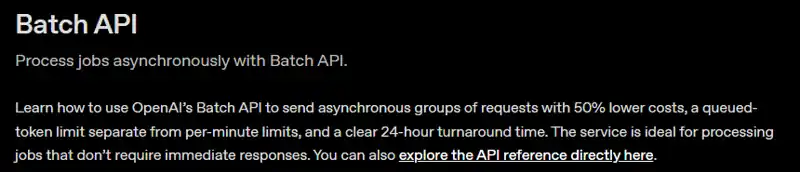
A normal API call waits for an answer. The Batch API works differently: you hand OpenAI a file of requests, and it processes them in the background.
OpenAI aims to finish every batch within 24 hours, and often it is much faster. The trade is simple: you give up speed and get a 50% discount plus a separate, higher rate limit.
Good use cases
- Evaluations: run a test set of thousands of prompts against a model overnight.
- Classification: tag support tickets, reviews or product listings in bulk.
- Embeddings: embed a whole document library for search or RAG.
- Content jobs: summaries, translations or product descriptions that nobody needs this second.
- Bulk images: generate or edit many images with the GPT Image models.
When not to use it
- Chatbots and live apps: users will not wait hours for a reply.
- Streaming: batch requests with
stream=trueare rejected. - Multi-step agents: each step depends on the last answer, so a 24-hour round trip breaks the loop.
Batch API Pricing and a Worked Cost Example
Batch prices are exactly half of Standard for the main text models. Prompt caching still applies, so cached input gets even cheaper. These are the official rates for short context (up to 272K input tokens).
| Model (ID) | Standard input / cached / output | Batch input / cached / output |
|---|---|---|
GPT-6.2 Astra (gpt-6.2-astra) |
$8.00 / $0.40 / $40.00 | $4.00 / $0.20 / $20.00 |
GPT-6.2 Sol (gpt-6.2-sol) |
$2.00 / $0.10 / $10.00 | $1.00 / $0.05 / $5.00 |
GPT-6.1 Sol (gpt-6.1-sol) |
$2.00 / $0.10 / $10.00 | $1.00 / $0.05 / $5.00 |
GPT-6 Astra (gpt-6-astra) |
$10.00 / $1.00 / $50.00 | $5.00 / $0.50 / $25.00 |
GPT-6 Luna (gpt-6-luna) |
$0.10 / $0.01 / $0.50 | $0.05 / $0.005 / $0.25 |
| GPT Image 2 (image tokens) | $8.00 / $2.00 / $30.00 | $4.00 / $1.00 / $15.00 |
Prices are per 1M tokens, from the official OpenAI pricing page on 28 Nov 2026. Above 272K input tokens, long-context rates apply (for example, GPT-6.2 Sol Batch is $2 / $7.50). For the full price list, see our OpenAI API pricing guide.
Worked example: 10,000 support tickets
Say you classify 10,000 tickets with GPT-6.2 Sol. Each request uses about 1,000 input tokens and 300 output tokens.
- Total tokens: 10M input and 3M output.
- Standard: 10 x $2 + 3 x $10 = $50.
- Background 2h window (30% off): about $35.
- Background 8h window (40% off): about $30.
- Batch: 10 x $1 + 3 x $5 = $25.
Tip: put the shared instructions at the start of every request. Identical prefixes can hit the prompt cache, and cached input on GPT-6.2 Sol Batch is only $0.05 per 1M tokens.
Prerequisites and Setup
You need three things before you write any code.
- An OpenAI API key: create one in the API dashboard under API keys.
- Python 3.10 or newer: with the official
openaipackage. This guide was checked against openai 3.60.0 (released 26 Nov 2026 on PyPI). - Billing set up: batch jobs are charged like normal API usage, just at the lower rate.
- Create a project folder. Make a new folder, for example
batch-demo, and open a terminal inside it. - Create a virtual environment. Run
python -m venv .venv, then activate it (source .venv/bin/activateon Mac and Linux, or.venv\Scripts\activateon Windows). - Install the SDK. Run
pip install -U openai. - Set your key as an environment variable. Run
export OPENAI_API_KEY="sk-..."on Mac and Linux, orsetx OPENAI_API_KEY "sk-..."on Windows. Never paste the key into your code. - Check it works. Run
python -c "import openai; print(openai.__version__)"to confirm the install.
New to the SDK? Our OpenAI API Python tutorial covers the basics of normal (synchronous) calls first.
Step 1: Build the JSONL File
A JSONL file has one JSON object per line. Each line is one API request with four fields.
custom_id: your own unique ID for the request. You use it to match answers later.method: always"POST".url: the endpoint, for example"/v1/responses".body: the same parameters you would send to that endpoint normally.
Here is one line for the Responses API:
{"custom_id": "ticket-1", "method": "POST", "url": "/v1/responses", "body": {"model": "gpt-6.2-sol", "instructions": "Classify the ticket as billing, bug, or other. Reply with one word.", "input": "I was charged twice this month.", "max_output_tokens": 500}}Example 1: generate the JSONL file in Python
This script turns a list of tickets into a batch file. Every line uses the same model, because one file can only target one model.
import json

tickets = [
    "I was charged twice this month.",
    "The app crashes when I open settings.",
    "Do you ship to Canada?",
]

INSTRUCTIONS = "Classify the ticket as billing, bug, or other. Reply with one word."

with open("batch_input.jsonl", "w", encoding="utf-8") as f:
    for i, text in enumerate(tickets, start=1):
        line = {
            "custom_id": f"ticket-{i}",
            "method": "POST",
            "url": "/v1/responses",
            "body": {
                "model": "gpt-6.2-sol",
                "instructions": INSTRUCTIONS,
                "input": text,
                "max_output_tokens": 500,
            },
        }
        f.write(json.dumps(line) + "\n")

print("Wrote", len(tickets), "requests to batch_input.jsonl")
Note: every custom_id must be unique in the file. Output lines can come back in any order, so the ID is the only safe way to join answers to inputs.
Step 2 and 3: Upload the File and Create the Batch
Upload the file with the Files API and purpose="batch". Then create the batch with the file ID, the endpoint and the completion window.
The only allowed completion_window is "24h". You can also attach up to 16 metadata key-value pairs to label the job.
Example 2: upload and create
from openai import OpenAI

client = OpenAI()  # reads OPENAI_API_KEY from the environment

# Step 2: upload the JSONL file
batch_file = client.files.create(
    file=open("batch_input.jsonl", "rb"),
    purpose="batch",
)
print("File ID:", batch_file.id)

# Step 3: create the batch
batch = client.batches.create(
    input_file_id=batch_file.id,
    endpoint="/v1/responses",
    completion_window="24h",
    metadata={"description": "ticket classification"},
)
print("Batch ID:", batch.id)
print("Status:", batch.status)  # starts as "validating"
Save the batch ID. You need it to check progress and fetch results, even from a different script or machine.
Optional: control how long results are kept
Output and error files expire after 30 days by default. Pass output_expires_after to shorten that to anything from 1 hour to 30 days.
batch = client.batches.create(
    input_file_id=batch_file.id,
    endpoint="/v1/responses",
    completion_window="24h",
    output_expires_after={"anchor": "created_at", "seconds": 86400},  # 1 day
)
Step 4: Poll the Batch Status
A batch moves through a set of statuses. Your script should wait until it reaches a final one.
| Status | What it means | Final? |
|---|---|---|
validating |
The input file is being checked | No |
failed |
The input file failed validation | Yes |
in_progress |
Requests are running | No |
finalizing |
Results are being written to files | No |
completed |
Results are ready to download | Yes |
expired |
Not finished within 24 hours | Yes |
cancelling |
Cancel requested (can take up to about 10 minutes) | No |
cancelled |
The batch was cancelled | Yes |
Example 3: a simple polling loop
import sys
import time
from openai import OpenAI

client = OpenAI()
batch_id = sys.argv[1]  # pass the batch ID on the command line

FINAL = {"completed", "failed", "expired", "cancelled"}

while True:
    batch = client.batches.retrieve(batch_id)
    counts = batch.request_counts
    print(f"{batch.status}: {counts.completed}/{counts.total} done, {counts.failed} failed")
    if batch.status in FINAL:
        break
    time.sleep(60)  # check once a minute

if batch.status == "failed" and batch.errors:
    for err in batch.errors.data:
        print("Line", err.line, err.code, err.message)

if batch.usage:
    print("Tokens used:", batch.usage.total_tokens)
The request_counts field shows total, completed and failed. The usage field shows token totals (filled in for batches created after 7 Sep 2025).
Tip: polling every minute is fine for small jobs. For big overnight jobs, every 5 to 10 minutes saves calls and log noise.
Step 5: Download Results and Errors
When the status is completed, the batch has an output_file_id. Failed requests go to a separate file named by error_file_id.
Each output line holds your custom_id and a response object with status_code and body. For the Responses API, the answer text sits inside body.output.
Example 4: download, parse and save
import json
import sys
from openai import OpenAI

client = OpenAI()
batch = client.batches.retrieve(sys.argv[1])

results = {}

if batch.output_file_id:
    text = client.files.content(batch.output_file_id).text
    for raw in text.splitlines():
        row = json.loads(raw)
        body = row["response"]["body"]
        answer = ""
        for item in body.get("output", []):
            if item.get("type") == "message":
                for part in item.get("content", []):
                    if part.get("type") == "output_text":
                        answer += part["text"]
        results[row["custom_id"]] = answer.strip()

if batch.error_file_id:
    err_text = client.files.content(batch.error_file_id).text
    for raw in err_text.splitlines():
        row = json.loads(raw)
        print("Failed:", row["custom_id"], row["error"])

with open("results.json", "w", encoding="utf-8") as f:
    json.dump(results, f, indent=2)

print("Saved", len(results), "answers to results.json")
Cancel or list batches
Two more calls are useful day to day:
client.batches.cancel("batch_abc123")       # stop a running batch
for b in client.batches.list(limit=10):     # see recent batches
    print(b.id, b.status, b.created_at)
Warning: cancelling or expiring a batch does not refund finished work. You are charged for every request that completed before the stop.
The Same Flow With curl
You can run the whole flow from a terminal. These three calls upload the file, create the batch and check it.
# 1. Upload the JSONL file
curl https://api.openai.com/v1/files \
  -H "Authorization: Bearer $OPENAI_API_KEY" \
  -F purpose="batch" \
  -F file="@batch_input.jsonl"

# 2. Create the batch (use the file ID from step 1)
curl https://api.openai.com/v1/batches \
  -H "Authorization: Bearer $OPENAI_API_KEY" \
  -H "Content-Type: application/json" \
  -d '{"input_file_id": "file-abc123", "endpoint": "/v1/responses", "completion_window": "24h"}'

# 3. Check status, then download the output file
curl https://api.openai.com/v1/batches/batch_abc123 \
  -H "Authorization: Bearer $OPENAI_API_KEY"

curl https://api.openai.com/v1/files/file-xyz789/content \
  -H "Authorization: Bearer $OPENAI_API_KEY" > batch_output.jsonl
Batch API Limits
Batch has its own limits, separate from your normal per-minute limits. Batch jobs do not eat into your standard request or token limits.
| Limit | Value |
|---|---|
| Requests per batch | 50,000 |
| Input file size | 200 MB |
| Embedding inputs per batch | 50,000 in total across all requests |
| Batch creation rate | 2,000 batches per hour |
| Models per file | 1 |
| Completion window | 24h only |
| Queued input tokens | Per model, set by your usage tier (see Settings, then Organization, then Limits) |
| Output tokens | No batch-specific limit |
| Metadata | 16 pairs, keys up to 64 chars, values up to 512 chars |
| Output file lifetime | 30 days by default (1 hour to 30 days with output_expires_after) |
The queued-token limit is the one people hit most. It counts input tokens of all batches waiting for the same model. Since 17 Nov 2026, background requests using the 2h or 8h windows share this same pool.
Splitting one job into many small batches does not get around it. Higher usage tiers raise the limit.
Supported Models and Endpoints
The Batch API accepts seven endpoints. The url in each JSONL line must match the endpoint you pass when creating the batch.
/v1/responses: the recommended endpoint for text models./v1/chat/completions: for older code built on Chat Completions./v1/embeddings: bulk embeddings, capped at 50,000 inputs per batch./v1/completions: the legacy completions endpoint./v1/moderations: needs aninputfield and works withomni-moderation-latest./v1/images/generations: bulk image generation./v1/images/edits: bulk image edits.
Which models support Batch
Not every model supports batching, so check the model’s page in the docs for a “Batch” entry. As of 28 Nov 2026, the official pages and pricing list Batch for these:
- Text:
gpt-6.2-astra,gpt-6.2-sol,gpt-6.1-sol,gpt-6-astraandgpt-6-luna. - Images: GPT Image models, including
gpt-image-2.5-flareandgpt-image-2.5-sunburst. - Moderation:
omni-moderation-latest(the CSAM classifier model is not supported in batch).
Data residency also works with Batch for GPT-6.2 Astra and Sol (US and EU). Regional endpoints add a 10% price uplift for models released on or after 5 Mar 2026.
Batch vs Flex vs Background Windows
OpenAI now has three ways to pay less for slower answers. They suit different jobs.
| Feature | Batch API | Flex processing | Background 2h / 8h |
|---|---|---|---|
| Discount vs Standard | 50% | 50% (Batch rates) | 30% (2h) / 40% (8h) |
| How you call it | Upload a JSONL file | service_tier="flex" on a normal call |
background=true plus background_options.completion_window |
| Turnaround | Within 24 hours | Slower, but synchronous | Within 2 or 8 hours |
| GPT-6.2 Astra / Sol | Yes | No | Yes |
| Status | Stable | Beta, being wound down | Public beta (since 17 Nov 2026) |
| Capacity errors | Requests wait in the queue within the 24h window | 429 Resource Unavailable (not charged) |
Retried for you after acceptance |
| Best for | Large offline jobs | Existing Flex code on older models | Same-day jobs on new models |
Should you still use Flex?
Flex gives Batch prices on a normal API call, which made it handy for evals and one-off jobs. However, OpenAI says Flex will not be added to new models, and GPT-6.2 Astra and Sol do not have it.
The beta is being wound down, and a retirement date has not been announced yet. For new code, pick Batch (cheapest) or background windows (faster). Our guide to OpenAI background completion windows covers the 2h and 8h option in detail.
How it compares with Claude
Anthropic offers a similar 50% discount with its Message Batches API. If you use both providers, see our Claude Message Batches API tutorial for the Anthropic version of this flow.
Troubleshooting Common Batch API Errors
These are real error messages from the official docs and the OpenAI developer forum, with the usual fix.
| Error or symptom | Cause | Fix |
|---|---|---|
| “The URL provided for this request does not prefix-match the batch endpoint” | A line’s url does not match the batch endpoint |
Use the same path, for example /v1/responses, in every line and in batches.create |
Status failed right after upload |
The file failed validation (bad JSON, duplicate IDs, mixed models) | Read batch.errors.data; it lists the line number and message |
| “Enqueued token limit reached for <model> in organization …” | Too many queued input tokens for that model | Wait for running batches to finish, send smaller batches, or move up a usage tier |
| “input is larger than the 209,715,200 maximum” | File is over 200 MB | Split the file, or use remote image URLs instead of base64 images |
Error code batch_expired |
The request did not run within the 24-hour window | Find the custom_ids in the error file and resubmit them in a new batch |
429 Resource Unavailable (Flex only) |
No Flex capacity right now | Retry with exponential backoff, or fall back to service_tier="auto" |
| Answers in the wrong order | Output order is not guaranteed | Always join on custom_id, never on line number |
| Empty or cut-off answers | max_output_tokens too low (reasoning tokens count too) |
Raise max_output_tokens and test a few requests normally first |
Tip: before a big batch, send 5 to 10 of the same requests as normal API calls. It is the fastest way to catch a bad prompt or parameter before you queue 50,000 of them. For errors on normal calls, see our OpenAI API errors fix guide.
Frequently Asked Questions
How much cheaper is the OpenAI Batch API?
Batch costs 50% less than Standard processing. For example, GPT-6.2 Sol is $1 input and $5 output per 1M tokens in Batch, versus $2 and $10 on Standard.
How long does an OpenAI batch take?
OpenAI targets completion within 24 hours, and the window cannot be changed. Many batches finish sooner, but you should not depend on that.
Can I mix models in one batch file?
No. Each input file can target only one model. Create one file and one batch per model.
Am I charged if a batch expires or I cancel it?
Yes, for the requests that finished. Unfinished requests are cancelled and not charged, and they appear in the error file with the batch_expired code if the batch expired.
Does the Batch API support streaming?
No. Results arrive as an output file, so requests with stream=true are rejected.
Does zero data retention apply to batches?
No. OpenAI’s help center says ZDR does not apply to the Batch API, and batch inputs and outputs follow the Batch and File retention policies instead.
Is Flex processing going away?
OpenAI says Flex is being wound down during its beta and will not be added to new models. A retirement date has not been announced, so plan to move to Batch or background windows.