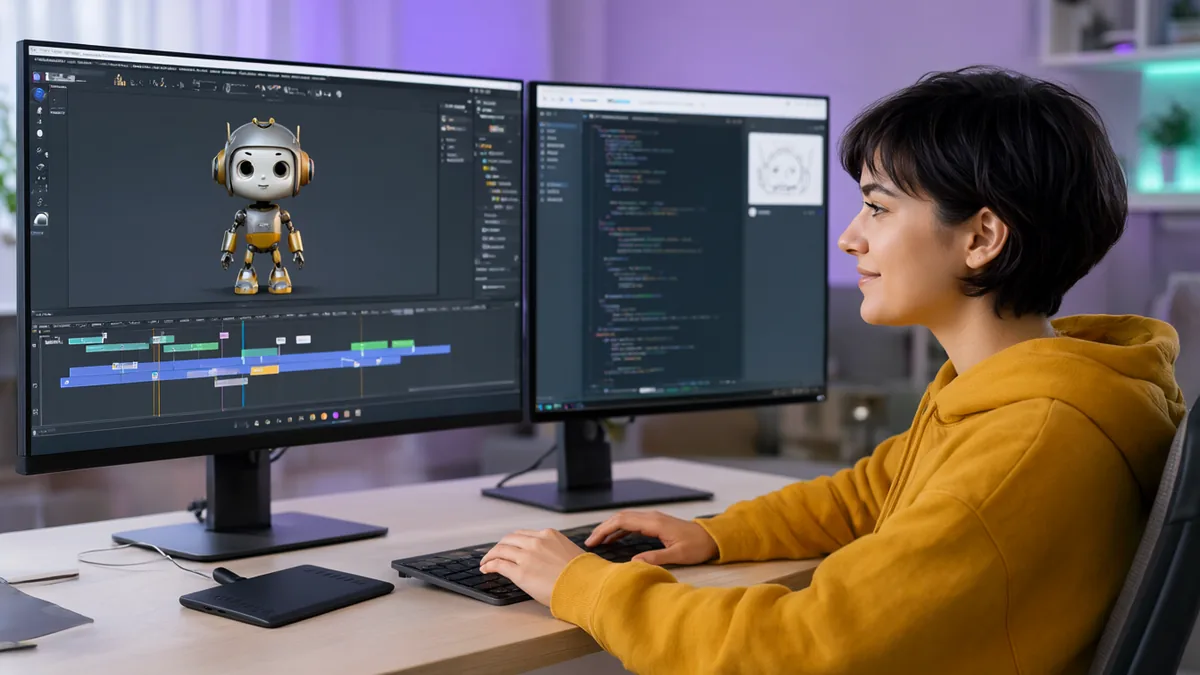
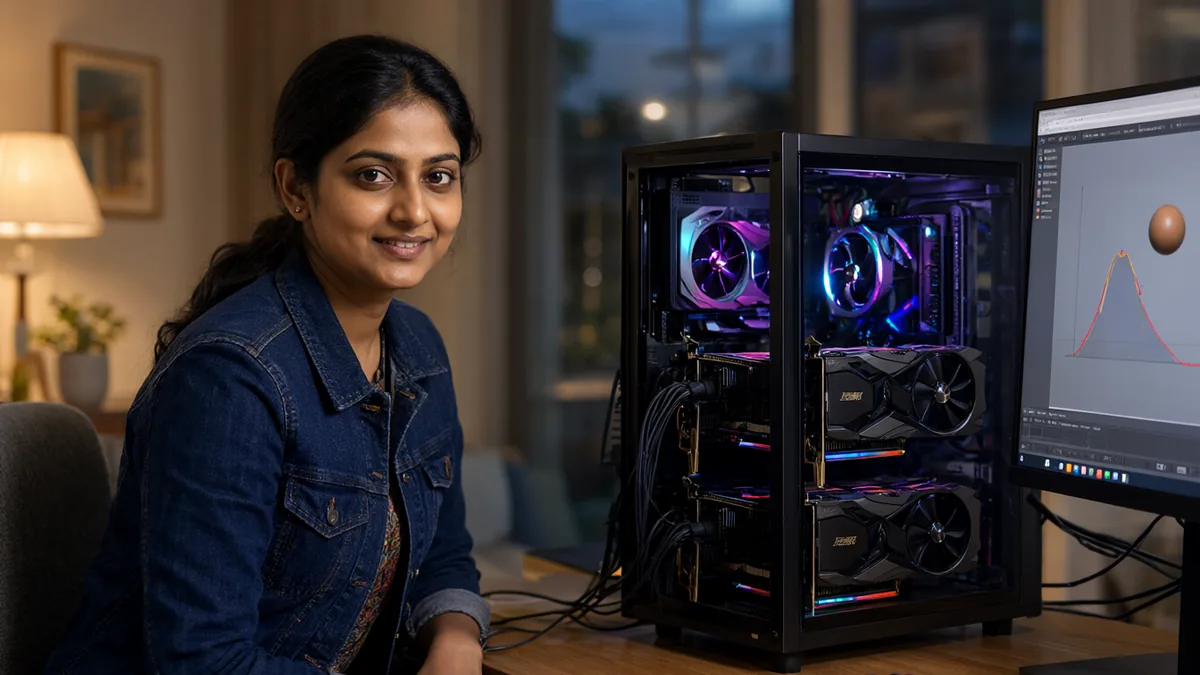
Which AI is actually best for Blender animation in 2026? The honest answer is that there is no single winner, because “AI for Blender animation” now means three different things: a language model that drives Blender through MCP or Python, an agent app that runs that model in a loop, and dedicated motion AI tools that create body movement from text or video. I went through the newest releases from the last few weeks (Claude Opus 5.5, GPT-6.1 Sol, Gemini 4 Argon, DeepSeek V4.1, Kimi K3.1 Pro, Nemotron 3.5 Bolt, MiniMax M3.1 Flash and the new Blender add-ons) and sorted them by what they are really good at. I also cover which local models run on a normal PC and on my own rig (2x RTX 5080 16 GB plus 128 GB RAM).
- Best overall model for Blender: Claude Opus 5.5. It leads the blind-vote Blender AI Arena (rating 1730), with GPT-6.1 Sol second (1655) at a lower price.
- Best agent setup: Claude Desktop with the official Blender connector for beginners, or Claude Code plus a Blender MCP server and the free Blender Skills pack for power users.
- Best free local model: Qwen3.8-Flash-Next (125B, 6B active) if you have 96 GB or more of RAM plus VRAM. On a single 16 to 24 GB GPU, use Qwen3.6 35B-A3B or Gemma 4 26B. New option: Nemotron 3.5 Bolt 74B-A9B (October 15, 2026), 22 GB at IQ2_XXS.
- Best for character animation: no LLM. Use a motion AI: Motion Gen (free, local HY-Motion 1.0 add-on), Uthana or Animatica for text-to-motion, Rokoko Video or DeepMotion for video mocap, and Cascadeur for AI-assisted posing.
- Cheapest cloud option: DeepSeek V4-Pro or V4.1 Flash, but it is text only, so it cannot check viewport screenshots.
Quick Answer: Best AI for Each Animation Job
| Animation job | Best pick | Free or local alternative |
|---|---|---|
| Keyframes, camera moves, motion graphics, procedural animation | Claude Opus 5.5 through Blender MCP | Qwen3.8-Flash-Next or Qwen3.6 35B-A3B in Cline |
| Writing Blender Python scripts and add-ons | Claude Code with Opus 5.5, or Codex with GPT-6.1 Sol | Qwen3.8 27B or Devstral Small 2 locally |
| Fixing a broken scene or rig with many objects | Claude (1M context, reads screenshots) | Nemotron 3.5 Bolt 74B-A9B (vision, 128K context) |
| Human body animation from a text prompt | Uthana or Animatica Choreographer | Motion Gen add-on (HY-Motion 1.0, runs locally) |
| Body animation from a phone video | DeepMotion, Move AI or Plask | Rokoko Video (free, single camera) |
| Posing and polishing keyed animation | Cascadeur (AutoPosing, AutoPhysics) | Cascadeur free tier, Animatica Marionette ($59) |
| Auto-rigging a character for animation | Mixamo, Meshy or Tripo | StableGen auto-rig with ComfyUI |
The Three Kinds of AI for Blender Animation
Most “best AI for Blender” lists mix up very different tools. Before you pick one, it helps to know which layer you are choosing.
1. The model (the brain)
A large language model such as Claude Opus 5.5, GPT-6.1 Sol or a local Qwen model. It does not touch Blender by itself. It reads your request and writes bpy Python or tool calls: create an object, insert a keyframe at frame 48, add a Follow Path constraint, render a preview. How good your animation is depends mostly on how well this model knows the Blender 5 Python API and how reliably it calls tools.
2. The bridge and the agent (the hands)
The bridge is a Blender MCP server: a small add-on that opens a socket inside Blender (port 9876 by default) and exposes tools like “execute code” and “get viewport screenshot”. The two main ones are the community MCP for Blender by ahujasid and the official Blender Lab MCP (v1.0.3, Blender 5.1 or newer). The agent is the app that connects a model to that bridge and keeps it working in a loop: Claude Desktop, Claude Code, Codex, Cursor or VS Code with Cline. I explained the setup step by step in my Blender MCP with a local LLM in Cline guide, so this article focuses on which model and agent to choose.
3. Motion AI (the animator)
Dedicated motion models generate the actual movement of a skeleton: walking, jumping, dancing, sitting down. Examples are Tencent’s open HY-Motion 1.0, Uthana, Animatica, DeepMotion and Rokoko. They output BVH or FBX motion, or apply keys straight onto a Blender armature. Language models are poor at this job, so for character work you will almost always combine layer 3 with layers 1 and 2.
What AI Can and Cannot Animate in Blender Today
This is the part most tutorials skip. Language models are excellent at animation that can be described with numbers and rules, and weak at animation that needs an artist’s eye.
| Works well with an LLM agent | Still weak or unreliable |
|---|---|
| Keyframing transforms, colours, light strength and material values | Expressive character acting and lip sync |
| Camera moves: orbits, dolly shots, follow-path fly-throughs | Hand-crafted organic modelling and clean topology |
| Drivers, constraints, F-curve modifiers (Noise, Cycles) | Judging timing and spacing “by feel” |
| Procedural and Geometry Nodes motion (if you describe it precisely) | Large Geometry Nodes graphs built from scratch |
| Rigid body, cloth and particle simulation setup and baking | Complex rigs with many custom controls |
| Batch work: retiming, renaming, applying the same action to 50 objects | Anything where the model cannot see the result |
| Render settings, output paths, preview renders | Very long scenes in one prompt |
A late-October 2026 write-up from a Czech 3D studio sums up the general feeling: MCP struggles with organic modelling, topology, Geometry Nodes, animation and anything needing visual judgement, while scripted, measurable tasks work well. In practice an AI agent will happily build a bouncing ball, a product turntable or a camera fly-through, but it will not make a character feel alive on its own. That is what motion AI is for.
Best Cloud Models for Blender (Claude, GPT, Gemini, DeepSeek)
The most useful public test right now is the Blender AI Arena. Each AI gets the same prompt, writes one Blender Python script that runs once in headless Blender with no retries, and people vote blind on pairs of results. It uses a Glicko-2 rating (everyone starts at 1500), and over 12,000 votes have been counted in Season 3. Note that the Arena tests scene and model building, not animation timing, but it is still the best measure of how well each model “knows” Blender Python.
| Model | Arena rating (Season 3) | API price per 1M tokens (in / out) | Sees screenshots | Notes |
|---|---|---|---|---|
| Claude Opus 5.5 | 1730 (±67), #1 | $4 / $20 | Yes | Top Blender scripter; 1M context; official Blender connector |
| GPT-6.1 Sol | 1655 (±64) | $2 / $10 | Yes | Released September 29, 2026; in Codex; best value of the top group |
| 3D-Agent (app) | 1605 (±62) | $19 to $89/month | Yes | Paid desktop app with its own models, not a raw model |
| GPT-6 Astra / GPT-6 Sol | 1582 each | Astra about 5x Sol’s price | Yes | Astra is stronger on general tasks but not on Blender here |
| Claude Fable 5.1 | 1499 (±63) | $10 / $50 | Yes | Anthropic’s top tier, but scores lower than Opus 5.5 on this test |
| Grok 4.7 | 1480 (±63) | varies | – | Mid-table |
| Gemini 4 Argon | Not benchmarked yet | Gemini API | Yes | Released October 2026; works with MCP clients, no Arena data yet |
| DeepSeek V4-Pro / V4.1 Flash | Not in the Arena | $1.32 / $3.96 (Pro), $0.44 / $1.32 (Flash) | No (text only) | Cheapest serious option; much lower agent scores than Claude |
| Kimi K3.1 Pro | Not in the Arena | $2 / $10 | Not stated | API since October 23, open weights due November 4, 2026 |
The Arena ranks by a conservative score (rating minus two times the uncertainty), and the top five share the first place as a statistical draw. In plain words: Claude Opus 5.5 is ahead, but GPT-6.1 Sol and GPT-6 are close behind. Interestingly, the more expensive Claude Fable 5.1 scores lower than Opus 5.5 here, so the most expensive model is not automatically the best for Blender.
Why I still pick Claude Opus 5.5 for animation
- It leads the only blind Blender test. Fewer broken scripts means fewer retries, and retries are what make agent sessions slow and expensive.
- It reads screenshots. With MCP for Blender, the agent can grab the viewport and check its own work, which is vital for animation (is the ball touching the floor at frame 24?).
- It has an official Blender connector. In April 2026 Anthropic announced an official Blender connector for Claude as part of “Claude for Creative Work” and joined the Blender Development Fund. The connector focuses on the Python API: analysing and debugging whole scenes, writing scripts that batch-change objects and adding new tools to Blender’s interface.
- It is cheaper per task than you might think. A test of 72 Claude Code runs with Opus 5.5 and Blender MCP (October 22, 2026) found everyday tasks cost $0.16 to $0.23 each, and a full racing scene about $0.47. A dump of every property in a 580-object scene cost $0.87, so ask for summaries, not full dumps.
When GPT-6.1 Sol or DeepSeek makes more sense
GPT-6.1 Sol costs half of Opus 5.5 per token and sits just behind it in the Arena, so it is the best value if you already use ChatGPT Work or Codex. DeepSeek V4 is much cheaper again, but on Artificial Analysis’ newest index Opus 5.5 scores 58 versus 23 for V4-Pro, and 59.6% versus 14.1% on Terminal-Bench 4.0. DeepSeek also cannot read images, so it is fine for “write me a script” jobs and weak for multi-step agent loops where it must check the viewport. If you are curious about running Kimi yourself, see my Kimi K3 VRAM guide.
Best Local Models for Blender MCP
Running the model locally means no API bill, no upload of your scene and no rate limits. The trade-off is lower accuracy than Claude and slower replies. For Blender, a local model needs three things: reliable tool calling, good Python, and ideally vision so it can read viewport screenshots. Here is what I would run in November 2026, sorted by the memory you have.
| Model | Size (total / active) | Download | Vision | Hardware it suits |
|---|---|---|---|---|
| Qwen3.8-Flash-Next | 125B / 6B (MoE) | 79 GB (UD-Q2_K_XL), 90 GB (UD-Q3_K_XL), 120 GB (Ollama Q4_K_M) | Yes | 96 GB+ RAM plus a GPU. My pick for 2x RTX 5080 + 128 GB |
| Nemotron 3.5 Bolt 74B-A9B (new) | 74B / 9B (MoE) | 22 GB (IQ2_XXS), plus mmproj | Yes, images and video | 24 to 32 GB RAM minimum, 48 to 64 GB comfortable |
| DeepSeek V4-Flash 0731 | 284B / 13B (MoE) | 91 GB (UD-IQ2_M) to 104 GB (UD-IQ3_XXS) | No | 128 GB RAM plus GPU; tight, text only |
| Qwen3.6 35B-A3B | 35B / 3B (MoE) | 23 GB (qwen3.6:35b-a3b) |
Yes | 16 GB GPU + 32 GB RAM. Best single-GPU pick |
| Gemma 4 26B-A4B | 26B / 4B (MoE) | 16 to 19 GB (gemma4:26b) |
Yes | 16 to 24 GB GPU |
| Qwen3.8 27B | 27B dense | 18 GB (qwen3.8:27b) |
Yes | 24 GB GPU; strongest Python writer of the small group |
| Devstral Small 2 24B | 24B dense | about 15 GB | No | 16 GB GPU, built for agentic coding |
| MiniMax M3.1 Flash | 428B / 23B | 129 GB (UD-IQ1_M) to 259 GB | Separate projector | Too big for most home PCs |
| Kimi K3.1 Pro | very large MoE | Weights due Nov 4, 2026 | – | Server hardware; see my Kimi K3 VRAM guide |
My setup: 2x RTX 5080 and 128 GB RAM
On my PC, Qwen3.8-Flash-Next runs fully locally with Cline and Blender MCP. The first reply takes about three minutes (most of that is loading 90 GB or more of weights from disk), and replies after that are fast because only about 6B parameters are active per token. The Q3 quant (90 GB) is the sweet spot on 128 GB of RAM, since it leaves room for Blender, VS Code and Windows. The full commands are in my Blender MCP local LLM guide.
Worth testing: Nemotron 3.5 Bolt
NVIDIA released Nemotron 3.5 Super VL (120B, 12B active) and the compressed Bolt 74B-A9B on October 15, 2026. Bolt supports images, video and tool calling with a 128K context, and Unsloth’s IQ2_XXS GGUF is only 22 GB. That makes it the most interesting new local option for Blender agents on mid-range PCs, because it can watch a short MP4 preview render as well as a screenshot. It is new, so I would treat it as a second opinion next to Qwen until more people report on its Blender tool calling.
Local models to avoid for animation
Skip models under about 10B parameters for multi-step animation. They lose track of object names and frame numbers after a few tool calls. Text-only models (gpt-oss 20B, DeepSeek V4-Flash) are usable, but they cannot see whether a keyframe landed where you wanted, so plan to check the viewport yourself. If you are not sure which quant file to download, read my GGUF quantization guide, and if you are choosing a runtime, see Ollama vs LM Studio vs llama.cpp.
Best Agents and Apps to Drive Blender
The agent matters almost as much as the model. A good agent keeps context, retries failed tool calls, and lets you approve each Python block before it runs.
| Agent / app | Models | Best for | Cost |
|---|---|---|---|
| Claude Desktop + Blender connector | Claude only | Beginners; chat-style scene building and debugging | Claude plan |
| Claude Code + Blender MCP + Blender Skills | Claude only | Power users, long animation tasks, add-on development | Claude plan or API |
| Codex | GPT-6.1 Sol and others | OpenAI users; scripting with good value per task | ChatGPT Work or API |
| VS Code + Cline | Any (cloud or local) | Local models through Ollama, LM Studio or llama.cpp | Free + model cost |
| Cursor | Most cloud models | Coders who already live in Cursor | Cursor plan |
| 3D-Agent | Built in | No setup; editable meshes and cleanup tools | $19 to $89/month |
Blender Skills for Claude Code
A free MIT-licensed pack called Blender Skills (arjun988 on GitHub) adds 94 task guides to Claude Code, covering modelling, materials, rigging, animation and export, including six animation and simulation skills. It went viral in late October 2026. Skills tell the agent the correct order of steps for each job, which cuts down on wasted tool calls. Install it like this:
git clone https://github.com/arjun988/blender-skills.git
cp -r blender-skills/.claude/skills/* ~/.claude/skills/
On Windows copy the folders into C:\Users\<you>\.claude\skills\. You still need a Blender MCP add-on running on port 9876. The repo’s .mcp.json uses Windows cmd /c syntax; on macOS or Linux change the command to uvx with args --python 3.11 blender-mcp and set BLENDER_HOST=localhost and BLENDER_PORT=9876. Read the skill files before you use them, as you would any code you run on your machine.
Which Blender MCP server?
Use the community MCP for Blender (uvx mcp-for-blender install-addon) if you want viewport screenshots and asset tools on any Blender from 3.0. Use the official Blender Lab MCP on Blender 5.1 or newer if your model keeps writing outdated Python, because it can search the bundled Blender API docs. Both default to port 9876, so run one at a time. The full install steps are in my Blender MCP guide.
Best AI Add-ons and Tools for Character Animation
For walking, fighting, dancing or any human motion, a motion model beats any LLM. These are the options I would look at in November 2026.
| Tool | Type | Runs | Price | Blender route |
|---|---|---|---|---|
| Motion Gen | Text to motion (HY-Motion 1.0 + Qwen3 8B) | Locally, NVIDIA 8 GB+ | Add-on, model licences apply | Native add-on, applies to an SMPL-X armature |
| HY-Motion 1.0 (Tencent) | Open text-to-motion model, 1B and 0.46B Lite | Locally, 24 to 26 GB VRAM per the repo | Free (Tencent licence) | Through Motion Gen or export |
| Uthana | Text and video to motion, auto-rig | Cloud | Pay as you go: $0.02 to $0.10 per second of motion | Blender and Maya plugin |
| Animatica Choreographer + Marionette | Text to motion, plus AI pose editing | Marionette locally on CPU | Marionette $59 one-time, Pro $200/year | Marionette: native add-on, Blender 5.0+ |
| Cascadeur | AI posing, AutoPhysics, unbaking mocap | Desktop app | Free (non-commercial, .casc only), Indie $8/month annual | FBX or USD export (paid tiers) |
| Rokoko Video | Video mocap | Browser | Free single camera | FBX or BVH import |
| DeepMotion Animate 3D | Video mocap | Cloud | Free 60 s/month non-commercial, from $15/month | FBX, GLB, BVH |
| Plask | Video mocap | Browser | Free 15 s/day, $18/month annual | FBX, GLB, BVH |
| Mixamo | Auto-rig + motion library | Browser | Free with Adobe account | FBX import |
| Meshy / Tripo | Auto-rig + clip library | Cloud | About $20/month, free credits | FBX or GLB |
Motion Gen: the best free local option
Motion Gen (v1.0, April 2026) is a Blender add-on that turns a text prompt into humanoid animation on your own PC. Under the hood a Qwen3 8B GGUF rewrites your prompt into a structured motion description, and Tencent’s HY-Motion 1.0 diffusion model generates the motion, which is applied to a built-in SMPL-X armature. The developer lists an NVIDIA GPU with 8 GB or more of VRAM and 16 GB of RAM (32 GB recommended), or a Force CPU mode with at least 32 GB of RAM. The official HY-Motion repo lists 24 to 26 GB of VRAM for its own scripts, so expect Motion Gen to offload or limit clip length on small cards. Install it like any add-on: Edit, Preferences, Add-ons, Install from Disk, select motion_gen.zip, enable Animation: Motion Gen, run Local Setup, then load the model files (about 1.8 GB for latest.ckpt and 5.8 GB for the Qwen GGUF) under AI Model Paths. You must accept the Tencent and Qwen licences inside Blender.
Animatica Marionette: AI help for hand animation
Released on October 21, 2026, Marionette is a Blender 5.0+ add-on where you drag a hand, foot or the hips and a local pose model moves the rest of the body. It writes normal FK keys onto your existing rig and adds motion trails, a smoothing brush, foot and hand locking, and a sliding-feet check. It does not generate motion from text itself; that is Animatica’s separate Choreographer. It is a good fit if you want to keep animating by hand, just faster.
Cascadeur for physics-correct motion
Cascadeur is still the best tool for making keyframed motion physically believable. AutoPosing fills in a full body pose from a few control points, AutoPhysics fixes the centre of mass and jump arcs while keeping your timing, and unbaking turns raw mocap back into editable keys. The free version has the full toolset but saves only to .casc and is non-commercial, so you need Indie or Pro to export FBX or USD into Blender.
If you need to texture and rig the character first, my StableGen for Blender guide covers AI texturing, auto-rigging and Mixamo animation with ComfyUI.
My Recommended Setups
| Setup | Model | Agent and bridge | Motion | Monthly cost |
|---|---|---|---|---|
| Best quality | Claude Opus 5.5 | Claude Code + MCP for Blender + Blender Skills | Uthana or Animatica, polish in Cascadeur | Claude plan plus a few dollars of motion credits |
| Best value cloud | GPT-6.1 Sol | Codex or Cline + MCP for Blender | Rokoko Video, DeepMotion free tier | Low; Sol is $2 / $10 per 1M tokens |
| Free, local, big PC (96 GB+ memory) | Qwen3.8-Flash-Next Q3 | VS Code Cline + MCP for Blender | Motion Gen (HY-Motion 1.0) | Free |
| Free, local, 16 GB GPU | Qwen3.6 35B-A3B or Gemma 4 26B | VS Code Cline + Blender Lab MCP (5.1+) | Motion Gen, Mixamo | Free |
| Beginner, no setup | Claude | Claude Desktop + official Blender connector | Mixamo | Claude plan |
A hybrid approach works well too: let a free local model handle the routine scene work, and switch Cline to Claude or GPT-6.1 Sol only for the hard steps, such as a complex rig fix. Cline lets you change the provider per task.
Example: Animating a Scene With an AI Agent
Here is a realistic flow for a 10-second shot of a character walking to a desk while the camera follows. It mixes motion AI with an LLM agent, which is how I would do it today.
- Get the motion. Generate “a person walks forward six steps, stops and sits on a chair” with Motion Gen (or Uthana), or record yourself on a phone and run it through Rokoko Video. Import the result as FBX or BVH, or let Motion Gen key the SMPL-X armature directly.
- Retarget and clean up. Ask the agent: “List all armatures and actions in the scene, then tell me the frame range of the walk action. Do not change anything yet.” Checking first saves tokens and mistakes.
- Build the set. “Create a simple room 6 m by 4 m, a desk at the end of the walk path and a chair. Use the scene units already set. Take a viewport screenshot when done.”
- Animate the camera. “Add a camera that follows the character’s hips with a Damped Track constraint and a Follow Path on a bezier curve from frame 1 to 240. Ease in and ease out. Show me the F-curves you created.”
- Fix contact problems. “At frames 200 to 240 the character should be seated. Check the hip height against the chair seat and report the gap in centimetres.” A vision model can confirm with a screenshot; a text model must rely on numbers.
- Render a preview. “Set Eevee, 1280×720, 24 fps, output to //preview/ as MP4 and render the animation.” With Nemotron 3.5 Bolt you can even feed the MP4 back and ask what looks wrong.
- Polish by hand. Open the result in Cascadeur or use Animatica Marionette for posing fixes. This is where your own eye still matters most.
Tips for Better AI Animation Results
- Say your Blender version. Blender 4.4 introduced slotted actions and Blender 5.0 removed the old
action.fcurvesshortcut, so older training data produces errors like “has no attribute fcurves”. Start every session with “I use Blender 5.x; use the layered action API (channelbags).” The official Blender Lab MCP helps here because it can search the bundled API docs. - Ask for numbers, not dumps. Counts and summaries cost a fraction of printing every property. In the 72-run token test, a full property dump cost $0.87, about four to five times an everyday task.
- Work in short steps. One prompt per shot or per object group, with a screenshot check after each. Long prompts are where models lose frame numbers.
- Use frames, not seconds. Give exact frame numbers and the fps. “Hit the ground on frames 12, 36 and 60” beats “bounce three times”.
- Name everything. Ask the agent to name new objects clearly (CAM_Follow, BALL_Main). It keeps later prompts reliable.
- Save before big changes. MCP’s execute-code tool can run any Python, so save a copy of the .blend first, and only use add-ons and skills you trust.
Frequently Asked Questions
What is the best AI model for Blender animation?
Claude Opus 5.5 is the best overall in November 2026. It leads the blind-vote Blender AI Arena with a rating of 1730, ahead of GPT-6.1 Sol at 1655. For human character motion, use a dedicated motion AI such as Motion Gen, Uthana or Animatica instead of a language model.
Can AI animate characters in Blender automatically?
Yes, with motion AI. Text-to-motion tools (Motion Gen with HY-Motion 1.0, Uthana, Animatica Choreographer) and video mocap tools (Rokoko Video, DeepMotion, Plask) create body animation you can apply to a Blender armature. Language models through Blender MCP are better at keyframes, cameras, constraints and simulations than at expressive acting.
What is the best free AI for Blender animation?
A local model such as Qwen3.8-Flash-Next or Qwen3.6 35B-A3B in VS Code Cline with the free MCP for Blender add-on, plus the free Motion Gen add-on for character motion. Rokoko Video and Mixamo are free cloud options for motion.
Which local LLM works best with Blender MCP on a 16 GB GPU?
Qwen3.6 35B-A3B (23 GB, with some layers in system RAM) or Gemma 4 26B-A4B (16 to 19 GB). Both have vision, so they can check viewport screenshots. Nemotron 3.5 Bolt 74B-A9B at 22 GB is a new option if you have 32 GB or more of system RAM.
Is Claude or ChatGPT better for Blender?
Claude Opus 5.5 scores higher in the Blender AI Arena and has an official Blender connector. GPT-6.1 Sol is close behind and costs half as much per token, so it is the better value if you already use ChatGPT Work or Codex.
Can DeepSeek control Blender?
Yes, through any MCP client such as Cline, and it is the cheapest capable cloud option. It is text only, so it cannot read viewport screenshots, and it scores far lower than Claude on agent benchmarks. Use it for writing scripts rather than long agent sessions.
How much does it cost to use Claude with Blender MCP?
One October 2026 test of 72 Claude Code runs with Opus 5.5 found that everyday Blender tasks cost about $0.16 to $0.23 each and a full racing scene about $0.47, using API pricing. Asking for summaries instead of full property dumps keeps costs low.
Final Thoughts
The best AI for Blender animation in 2026 is really a small team: a strong model (Claude Opus 5.5, or GPT-6.1 Sol for value, or Qwen3.8-Flash-Next if you want it free and local), an agent with a Blender MCP bridge to do the clicking, and a motion AI for anything with a skeleton. Let the language model handle cameras, keyframes, simulations and batch jobs, let Motion Gen, Uthana or a video mocap tool handle body movement, and keep the final polish for yourself. I will update this page when Kimi K3.1 Pro’s open weights land on November 4 and once Gemini 4 Argon gets Blender Arena results.
Next steps: set up the free local route with my Blender MCP with a local LLM in Cline guide, install a runtime with How to install Ollama, and texture and rig your characters with StableGen for Blender.
Sources
- Blender AI Arena: Season 3 leaderboard and methodology
- Anthropic: Claude for Creative Work (Blender connector)
- How many tokens does Blender MCP really use? 72 Claude Code runs
- Blender Skills for Claude Code (GitHub)
- ThakiCloud: anatomy of the 94-skill Blender Skills pack
- le-artist: Blender AI with Claude via MCP, scripts and 3D generators
- GPT-6.1 Sol specs and pricing
- Google: October 2026 AI updates (Gemini 4 Argon)
- Artificial Analysis: Claude Opus 5.5 vs DeepSeek V4 Pro
- Kimi K3.1 Pro API and open weights date
- Unsloth: Nemotron 3.5 Bolt GGUF guide
- Nemotron 3.5 Super VL and Bolt overview
- MiniMax M3.1 Flash size and GGUF quants
- Run DeepSeek V4-Flash locally
- Motion Gen Blender add-on documentation
- Tencent HY-Motion 1.0 on GitHub
- Digital Production: Animatica Marionette
- Uthana pricing
- Cascadeur review and pricing 2026
- Cinevva: AI animation generators for 3D characters
- 80 Level: Rokoko Video free AI motion capture
- BlenderMCP.org: Blender AI assistants compared
- Blender Lab MCP server