FreakyJolly • Local AI Video Field Guide
The best model is the one you can actually run, control and finish a shot with. Here’s a practical countdown of open-weight video families, with the hardware catches left in.
Local AI video has reached an interesting stage: finding an impressive demonstration is easy; finding the exact checkpoint, a workflow that matches it and a memory budget you can trust is still surprisingly hard. A model family can have a research release, an optimized community implementation, an API-only upgrade and three similarly named quantizations. They are not interchangeable.
This guide separates those layers. “Local” means downloadable weights with a documented inference path, not merely a web service with an open-source frontend. “Open-weight” does not automatically mean unrestricted commercial use. And “runs on 12GB” is not the same promise as “comfortably produces your intended resolution and clip length on 12GB.”
We have not pretended to personally benchmark every model here. The recommendations combine official repositories, model cards, documented workflows and clearly labeled community discussion. Where a project does not provide a transferable memory measurement, the answer is a qualification rather than a made-up minimum.
How to read the ranking
This is an editorial ranking of practical usefulness for someone building a local workflow, especially around a 16–24GB GPU. It is not a scientific leaderboard of visual quality. A server-scale model can be more capable in a specific task and still land lower because it is a frustrating first installation for that reader.
We weigh five things: whether the model fits a plausible local machine; how much useful control it exposes; how mature its workflows and surrounding tools are; how expensive iteration becomes in memory and time; and how clearly its license explains your obligations. There are no numerical scores because we did not run a controlled cross-model evaluation.
The countdown moves from the least broadly recommended starting point to the strongest all-round starting point. “Lower” does not mean worthless. A specialized reference model can be exactly right for one shot. Families are grouped where it prevents a misleading list padded with near-identical checkpoints, while materially different architectures remain separate.
- Text-to-video (T2V): the prompt supplies the scene. A reference-image port or wrapper does not automatically turn every T2V checkpoint into a supported image-to-video model.
- Image-to-video (I2V): an image anchors the starting frame or appearance. The model still has to invent motion and unseen parts of the scene.
- Reference-to-video (R2V): model-dependent image, video and sometimes audio references guide identity, appearance or other properties across a generated shot. Verify what is actually preserved and which input types the specific workflow accepts.
Driving-video motion transfer, first/last-frame conditioning, video extension, pose/depth control, video editing and talking avatars are further capabilities. A tick in one column should not quietly imply the others.
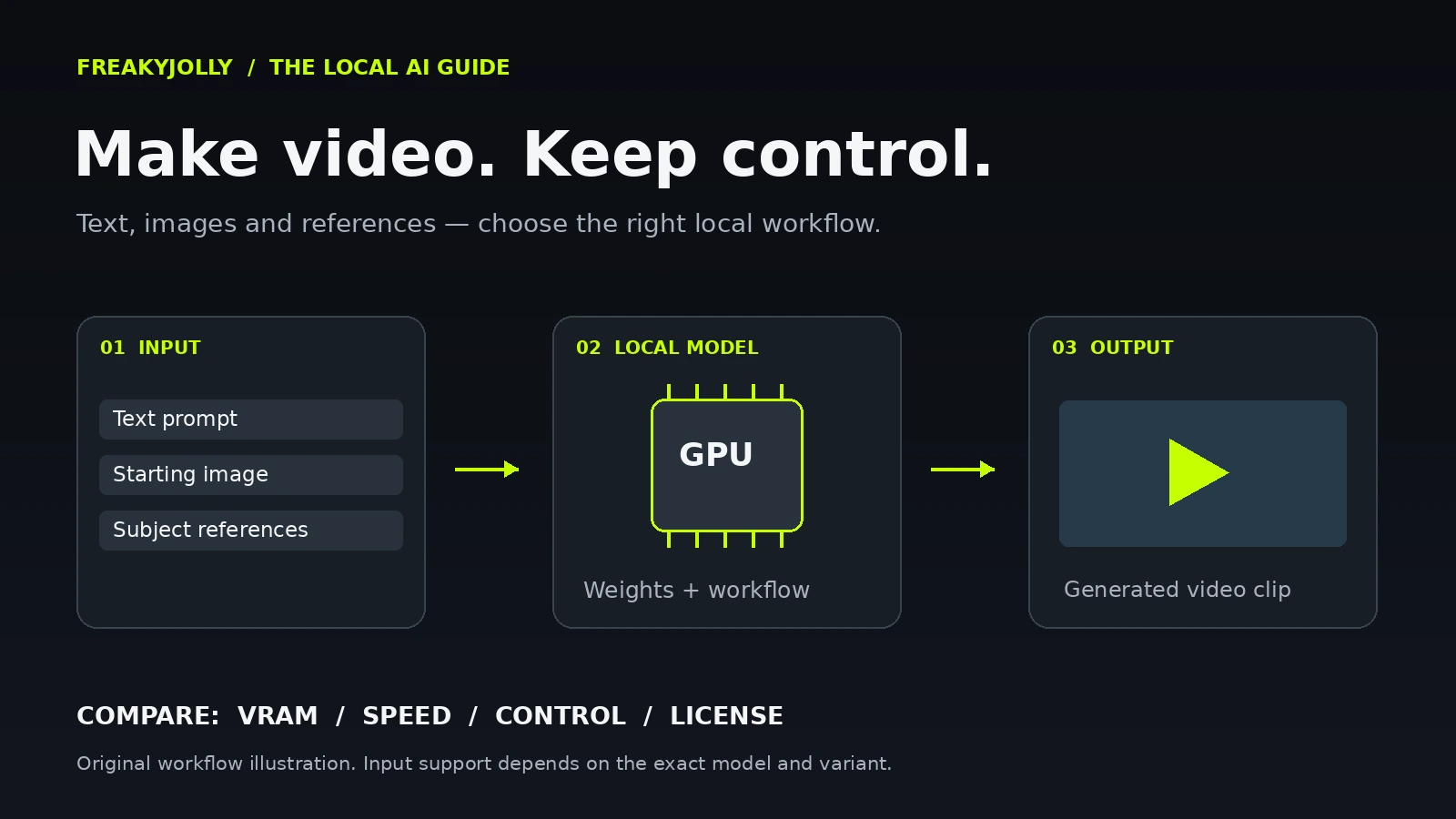
Quick picks: choose the job before the download
| Your priority | Start by investigating | Important catch |
|---|---|---|
| General local T2V / I2V ecosystem | Wan 2.2 / Wan family | 5B, A14B, VACE and Animate are different models/workflows. |
| Integrated audio and a draft/refine pipeline | LTX-2.5 | Official setup baseline is 32GB-plus; smaller-GPU paths need compromises. |
| Image + video + audio references | MiniMax H3 Ref2VA | Large components and consequential territorial/output license restrictions. |
| Multiple image references | SkyReels V3 R2V | Use its actual R2V checkpoint; no verified beginner V3 Comfy graph here. |
| Conventional offloaded 16–24GB-class option | HunyuanVideo 1.5 | Official 14GB minimum depends on offloading; license geography matters. |
| Small GPU and willingness to wait | FramePack / F1 | 6GB route does not imply quick generation or unrestricted weight licensing. |
| Alternative audio-video on a 24GB card | Ovi 1.1 FP8/offload | Validate full pipeline memory and quality; no generic turbo promise. |
| Chunk-based continuation experiments | MAGI 4.5B | Do not substitute server-scale 1.1-24B expectations. |
For an 8GB card, investigate the documented Wan 5B native-offload path, FramePack or a genuinely smaller legacy model before forcing a modern 22B-plus system onto the machine. For 16GB, regard H3 and LTX success stories as configurations to reproduce cautiously. For 24GB, you gain flexibility, but resolution, duration and decoding can still exceed the budget. None of these tiers is a promise that every listed model fits unchanged.
The countdown: from specialist choices to the best all-round starting point
MAGI: interesting chunk-based generation, uneven consumer fit
Choose the 4.5B branch for a deliberate local experiment; do not mistake the newer 24B release for a comfortable single-GPU upgrade.
MAGI generates video in chunks and supports continuation, making it interesting when you want to explore how a scene develops beyond one short sample. The family started in April 2025. The newer MAGI-1.1-24B weights arrived on 17 June 2026, but the official hardware recommendations put that branch firmly in multi-GPU territory. The more relevant consumer option is the earlier 4.5B model, particularly its distilled FP8 path. The maintainers document a 12GB configuration with window_size=1, while the ordinary 4.5B configuration is listed at 24GB. Those are different recipes, not conflicting universal minimums. Official releases, architecture and hardware configurations.
Pros
- Chunk-based continuation is a meaningful differentiator.
- A documented smaller distilled/quantized route exists.
- Official ComfyUI examples cover text, image and continuation workflows.
Cons
- The latest 24B branch is an awkward match for the target reader’s machine.
- Model choice and context-window settings materially change memory use.
- Less useful as an uncomplicated first installation than the higher-ranked families.
Downloads: the official Hugging Face repository provides 4.5B base weights, 4.5B distilled FP8 and 1.1-24B base weights. Start here: use the official Comfy integration and its workflow files. Replace example absolute paths with your own. Keep the initial continuation short and inspect the boundary between chunks before extending farther. A large allowed frame count in a node is not a promise of economical hours-long output.
Fast versus quality: use the documented 4.5B distilled FP8 recipe when fitting memory is the priority. Do not transplant its settings into the 24B branch. No separately verified GGUF package or SFW style-LoRA recommendation was established in this review. The code is Apache-2.0; check the actual weight card of the downloaded variant too.
Original prompt to try: “A red sailboat moves slowly across a calm lake; the camera stays fixed.” Use continuation to extend the same action before introducing a new event. If it fails: check imported absolute paths and restore the documented smaller window/resolution before increasing duration. This is an editorial test prompt, not a validated result.
FramePack / F1: a useful way to trade time for longer image-to-video
An appealing experiment for limited VRAM, provided you are comfortable waiting and understand which components you are using.
FramePack is an architecture and implementation rather than a generic new foundation-model family. Its distributed I2V checkpoints use Hunyuan-based components. The official project advertises a 6GB NVIDIA GPU route and progressive generation of longer clips; F1 was released on 3 May 2025. The important word is progressive. Keeping memory manageable does not mean generating a minute-long clip instantly. The project’s own speed examples are hardware-specific. Official project and requirements; release history.
Pros
- A genuinely documented low-VRAM approach.
- Designed around extending video rather than loading the whole temporal problem at once.
- Official desktop entry point and an optional Comfy wrapper.
Cons
- Longer output can still require substantial waiting.
- It is primarily an I2V route, not a replacement for all text and reference workflows.
- Long duration does not guarantee sustained identity, physics or narrative coherence.
Downloads and workflow: the published checkpoints are FramePackI2V_HY and F1 I2V. If you prefer nodes, Kijai’s wrapper has example graphs, but is labeled work in progress. Follow its distinction between Diffusers directories and single-file checkpoint locations.
Prompting and fixes: begin with a clear image and a simple motion request. If an installation fails, reproduce the official app path before mixing wrapper-specific encoders and checkpoint layouts. No universal GGUF, turbo or style-LoRA recommendation is verified here. Apache-2.0 code does not settle inherited model-weight terms; review the Hunyuan components before commercial deployment.
Original I2V prompt to try: “The person gently turns their head toward the window; the curtain moves slightly; the camera stays still.” Keep the first experiment simple enough to spot drift. No generation result is implied.
Ovi 1.1: worth knowing if sound is part of the shot
A focused local audio-video option with an unusually clear documented 24GB FP8/offload path.
Ovi generates audio and video together from text or text plus an image. Its 1.1 update, dated 10 November 2025, added 10-second generation and native 960×960 training with other aspect ratios supported. That makes it more relevant than older lists that treat every local video model as silent. The official memory guidance distinguishes roughly 32GB with full-precision offloading, 24GB with FP8/offloading and a much larger non-offloaded benchmark setup. These are publisher configurations, not our measurements. Official Ovi repository.
Pros
- Joint sound and image generation is central to the model.
- Documented memory-reduction options rather than a vague “consumer ready” label.
- Apache-2.0 licensing on the published project/model.
Cons
- 24GB is a specific FP8/offload route, not a full-precision residency claim.
- It is not a verified persistent-reference-identity system.
- No released turbo option or voice-cloning capability is established here.
Downloads: the official download script points to chetwinlow1/Ovi on Hugging Face. That account name is easy to miss if you guess the download URL from the GitHub organization. For ComfyUI, use the documented 10-second image/audio example in WanVideoWrapper with matching dependencies.
Prompting and speed: Ovi 1.1 uses “Audio: …” descriptions rather than older AUDCAP tags. Begin with an action whose sound is easy to judge, such as a ceramic cup touching a table. FP8 can reduce weight memory while degrading quality; the project explicitly warns that it does not automatically speed up BF16 matrix multiplication. No separately verified SFW style-LoRA shortlist is offered here.
Original prompt to try: “A plain ceramic cup is placed gently on a wooden table. Static close-up. Audio: a soft ceramic tap and quiet room ambience.” If sound is missing: confirm the current 1.1 prompt syntax and wrapper audio dependencies, then inspect the raw generated file before the editor/export stage.
SkyReels V3: reference-to-video deserves its own checkpoint
A compelling targeted option when multiple visual references matter more than a broad beginner ecosystem.
SkyReels V3 released code and weights on 29 January 2026. It separates a 14B reference-to-video model, a 14B extension model and a 19B talking-avatar model. The R2V branch accepts one to four reference images, including people, objects and backgrounds. That is a more specific capability than animating a single starting frame. The recommended R2V example is a five-second 720p/24fps shot. Official model map and release; R2V weights.
Pros
- Explicit multi-reference conditioning.
- Separate released models for continuation and talking avatars.
- Documented FP8 weight-only and block-offloading route.
Cons
- Fewer verified plug-and-play workflows in this review.
- Sub-24GB advice includes reducing resolution, not a firm universal minimum.
- Custom license terms need review before commercial use.
Hardware and setup: start with the official Python instructions. The project recommends a recent CUDA/Python environment and explains its low-memory switches. Below 24GB, its guidance points to 540p or 480p rather than promising the full recommended workload. Do not substitute a SkyReels V2 Comfy graph and call it V3 support: no official V3 Comfy workflow was verified in this pass.
Reference strategy: begin with one subject reference, then add the prop or background you need. Ask for a short observable action and inspect whether each reference’s intended properties persist. A multi-reference input feature is not a mathematical identity lock.
Legacy and license: V2 remains relevant for diffusion-forcing extension workflows, but roadmap entries marked “Coming Soon” are not releases. V3 uses the Skywork Community License, not a blanket Apache claim. No separately vetted V3 GGUF, turbo or SFW style-LoRA package is recommended here.
Original R2V prompt to try: “The referenced adult presenter holds the referenced green mug at chest height in the supplied kitchen setting, then sets it down. One stationary medium shot.” Follow the project’s actual reference ordering. If memory fails: use the documented FP8/block-offload settings and lower resolution before adding more references. No universally reliable identity-drift fix is established here.
HunyuanVideo 1.5: smaller core, but watch the word “distilled”
A sensible alternative for conventional local T2V and I2V, with real distinctions between its quality and draft paths.
HunyuanVideo 1.5 uses an 8.3B model, down from the original family’s 13B. Its README dates release to 20 November 2025, while the license and family announcement use 21 November. We retain that distinction rather than inventing a single unquestionable date. The official minimum of 14GB explicitly uses offloading. T2V, I2V, sparse, distilled and super-resolution variants are different checkpoints; some rows in the main table remain marked “Coming soon.” Official release and available models; official weights.
Pros
- A documented offloaded consumer-memory route.
- Separate T2V/I2V quality and quicker I2V choices.
- Native Comfy support and detailed sampling guidance.
Cons
- Similar variant names make the wrong recipe easy to select.
- Base I2V is not the same as HunyuanCustom or OmniWeaving reference conditioning.
- Territorial license restrictions complicate global commercial use.
Fast versus quality: Tencent’s Comfy guide distinguishes CFG-distilled models, which use CFG 1 but still recommend 50 steps for quality, from the 480p I2V step-distilled model, which recommends eight or twelve steps. Four steps trades more quality for speed. “Distilled” alone is therefore insufficient information. The standard 720p examples use different flow shifts for T2V and I2V. Follow the exact settings table.
Workflows and GGUF: start with the native guide and the 720p I2V or 720p T2V template. jayn7’s 480p I2V GGUF conversion is a community option, not an official universal memory promise. Its file sizes exclude the rest of the pipeline.
Useful fix: Tencent’s guide specifically recommends temporal_size 4096 when using tiled VAE decoding to avoid artifacts. That is a good example of why “make every tile smaller” is poor universal advice. Use the documented decoder path, and reduce the generation workload separately if needed.
Which Hunyuan does reference conditioning?
HunyuanCustom, released in May 2025, targets subject-consistent customization. OmniWeaving, whose code and weights arrived on 3 April 2026, adds advanced multimodal and compositional reference workflows on a 1.5 base. It is an interesting research route, but no consumer-memory baseline or beginner-ready official Comfy graph was verified here. Avatar is supplied-audio-driven human animation, which should not be described as jointly generating new audio like LTX or Ovi.
SFW adapters and license: the Dashtoon keyframe-control LoRA targets original HunyuanVideo, not verified 1.5 compatibility. No broadly vetted 1.5 aesthetic LoRA shortlist was established. The 1.5 license excludes the EU, UK and South Korea from its licensed territory and contains output-related restrictions. Read it before relying on the model for a globally distributed product.
Original I2V prompt to try: “The red toy robot takes two small steps, then lifts its right arm. The camera stays fixed.” The official prompt handbook distinguishes subject, scene and camera motion. Avoid mixing this model’s settings with the original 13B I2V recipe.
MiniMax H3: powerful reference inputs, serious deployment caveats
The most relevant shortlist entry when your brief combines image, video and audio references, but it requires unusually careful version and license choices.
MiniMax announced H3 on 31 July 2026; the downloadable weights’ license identifies 2 August as its release/license date. The genuine local release is H3-Base, with FL2VA and Ref2VA checkpoints. FL2VA covers text, first-frame, last-frame and first/last-frame generation. Ref2VA is the branch to investigate for multimodal references. The hosted H3-Context-IR preprocessing and H3-Regenerate-2K stage are not included as released local checkpoints. A local base plus an unrelated upscaler does not reproduce the complete hosted system. Launch announcement; official weights and capability map.
Ref2VA documents up to nine images, three videos and three audio clips, subject to a total twelve-file limit. Each video/audio reference is 2–15 seconds, with at most 15 seconds total per modality. The published base output uses a 768-pixel short edge and 24fps with stereo audio. The model’s large transformer and encoder explain why a quantized “16GB route” should not be confused with keeping the original BF16 pipeline resident in VRAM.
Pros
- Explicit image, video and audio reference conditioning.
- Native ComfyUI support and a documented reference-prompt structure.
- Community quantization plus task-specific acceleration options.
Cons
- The complete hosted system is not the same as the local base release.
- Large encoders, VAEs and reference tokens make memory budgeting more complex.
- Territorial and output restrictions can be decisive for commercial publication.
The practical Ref2VA starting point
Use the native setup guide and R2V template. The current graph uses pruned INT8 ConvRot Ref2VA, a matching quantized Qwen3-VL encoder and separate audio/video VAEs. Follow the exact filenames in the graph; a stock Qwen model is not a drop-in replacement. The native guidance recommends a 20-step baseline with Lightning disabled, with additional steps worth exploring for reference adherence. Keep that baseline before trying a four-step accelerator. Settings and compatibility notes.
16GB and GGUF: the integration index lists heavily optimized lower-memory approaches. Abiray’s pruned GGUF conversion targets a 16GB tier with Q4_K_M, but its 11.6GB model file is not the total peak. The encoder, references, activations and decode still need memory; offloading shifts work to host RAM and transfers. Begin with one reference and a short, reduced-resolution draft, then measure your full pipeline.
Turbo is not the same as FastH3
LightX2V Ref2VA Turbo is the relevant four-step option for reference generation; its reference workflow has its own trained resolution and schedule. In contrast, FastH3’s current eight-step V2 targets T2V and first/last-frame generation. Ref2VA was not distilled in that release. Switching to FastH3 is therefore not a valid shortcut for the same multi-reference task.
SFW LoRAs: fal’s Realism People documents T2V/I2V/R2V support and the r34l1sm trigger. Its realism claims are the author’s, not our test. akhaliq’s 2D Anime Style is documented for FL2VA T2V on pruned INT8 ConvRot, not verified as an interchangeable Ref2VA adapter. Match full/pruned layouts; a tensor-shape mismatch can mean part of an adapter was skipped.
Prompting: map <Picture 1>, <Video 1> and <Audio 1> to their actual connection order. Explain what each asset supplies and what should change. The official reference guide uses subject definitions, summary, retention analysis, detailed description, soundscape and music sections. Keep those subject labels stable. For a first test, a presenter placing a referenced mug on a table is easier to diagnose than a multi-cut advertisement.
Original reference-prompt fragment: “<Subject 1> is the adult presenter in <Picture 1>; preserve their jacket and hairstyle. <Subject 2> is the mug in <Picture 2>; preserve its shape and color. In one locked shot, the presenter sets the mug upright on the table. Quiet room tone; no music.” Expand it into the official reference sections. If fidelity drifts: verify labels and checkpoint family, then compare the non-turbo baseline before increasing references or changing guidance.
LTX-2.5: a broad audio-video system with a real draft-to-finish workflow
A strong first family to investigate for synchronized sound, quick distilled iteration and a structured refinement path, if the hardware and license fit.
LTX’s version history matters. Legacy LTX-Video 0.9.x is not LTX-2. Original LTX-2 released full weights on 5 January 2026 and combined a 14B video stream with a 5B audio stream. LTX-2.3 moved to a 22B family, and the current LTX-2.5 license identifies 11 August 2026 as its release/license date. Do not confuse a software release number with the model version. Original weights announcement; architecture paper; current license.
The 2.5 model card provides dev and distilled variants, split components, a tuned Gemma 4 encoder, separate VAEs and upscalers, and native multishot support. Distilled uses an eight-step fixed schedule and CFG 1. Download access is gated by terms and contact sharing. This is genuinely downloadable, but it is not an invitation to combine arbitrary components from older LTX graphs.
Pros
- Synchronized audio and video are integral to the current family.
- Documented distilled and refinement workflows.
- Official Comfy templates and a useful control/refinement-adapter ecosystem.
Cons
- The official setup baseline is 32GB-plus VRAM, above many hobbyist cards.
- Encoder/VAE changes make version mixing risky.
- Custom licensing and gated downloads require attention.
What to run first
Start with the official T2V, I2V or first/last-frame template. The official setup recommends a CUDA GPU with 32GB-plus VRAM and 100GB-plus free disk. Its lower-memory component combination uses INT8 ConvRot distilled weights, matching INT8 encoder and the lighter Conv video VAE. Community success on smaller GPUs is not an official universal minimum.
Quality versus speed: the official runtime distinguishes fast distilled, guided and DFR paths. DFR uses the distilled transformer with a detailing IC-LoRA and additional refinement; it should not receive the dev transformer simply because “dev sounds higher quality.” There are multiple stages, so an eight-step label is not necessarily the entire end-to-end workload. NVFP4 targets compatible Blackwell hardware. Community GGUF weights are another option, not an official replacement for the encoder and VAEs or a guaranteed speedup.
Reference and SFW control options
Ingredients is explicitly a 2.3 22B reference-sheet adapter for characters, props and locations. It needs the proper reference-conditioning graph, not just a generic LoRA loader. Its training bucket is 768×448 with 121 frames; other workloads are outside that documented training bucket. The 2.5 card describes broad but qualified 2.3-adapter compatibility, while runtime guidance is stricter about version matching. Use a verified exact-version graph rather than treating “most” as “all.”
Refine Details is a 2.5 distilled video-detailing tool, not a generic aesthetic LoRA or lossless restoration. It synthesizes detail, and whole-canvas subject descriptions can repeat subjects across tiles. For depth/edge guidance, review the exact 2.3 Union Control workflow. Original 19B camera LoRAs should remain labeled 19B.
Prompting and fixes: use literal action progression, framing, light and sound as described in the official prompting guide. Disable optional prompt enhancement during controlled tests if you want to compare the exact words you wrote. The software release notes identify fixes for decode OOMs, older-GPU FP8/LoRA failures and Gemma dependencies; check whether your installed version includes the relevant fix before changing samplers randomly.
License: LTX-2.x uses custom community terms, including a commercial licensing threshold for entities at least $10M in annual revenue subject to the stated exceptions. Legacy 0.9.x also has version-dependent licenses. “Open weights” is more accurate than “free for every commercial use.”
Original prompt to try: “A ceramic mug sits beside a sunlit window. Steam rises while the camera slowly moves closer. Soft room ambience and a faint spoon clink; no speech.” It is a simple sound-and-motion test, not a claim about measured prompt adherence.
Wan: the strongest practical ecosystem, not a universal quality champion
Our default recommendation because it combines varied local checkpoints, mature workflows, useful control options and clearer licensing across the main releases.
Wan earns first place as a family. This is not a claim that one Wan clip will always beat LTX or H3. Wan 2.1, released on 25 February 2025, still matters for the smaller 1.3B model, VACE and established creative adapters. Wan 2.2, released on 28 July 2025, adds separate A14B T2V/I2V paths and a smaller unified TI2V-5B route. Both main repositories use Apache-2.0. Wan 2.1 releases; Wan 2.2 releases and model index.
Pros
- Several practical entry points rather than one enormous checkpoint.
- Native Comfy workflows, community wrappers and established quantization options.
- Editing, reference and motion-transfer branches extend the family beyond ordinary I2V.
- Apache-2.0 main releases simplify evaluation compared with territorial community licenses.
Cons
- Expert pairs, VAEs and similarly named adapters are easy to mix incorrectly.
- A14B official reference commands are far heavier than optimized community graphs.
- Rapidly changing accelerated templates make reproducibility important.
- Newer hosted Wan names do not establish newer downloadable local weights.
The beginner choice: TI2V-5B
TI2V-5B generates video from either text or a starting image with a dedicated high-compression VAE. The official Python example specifies at least 24GB with offloading flags. The native Comfy guide separately says the 5B model should fit well with 8GB using native offloading. These claims describe different execution paths. Neither is a measured guarantee for every resolution, clip length and host-memory configuration.
Use the 5B TI2V JSON as the starting point. Its graph pairs the 5B diffusion model, FP8 UMT5 text encoder and Wan 2.2 VAE. The supplied image node distinguishes I2V from T2V use. Keep the template’s component pairing rather than copying a VAE from an A14B tutorial.
The advanced choice: A14B and its expert pair
A14B uses high- and low-noise experts, with approximately 14B active parameters per step and roughly 27B total. The official single-GPU reference commands specify at least 80GB. Consumer use therefore involves a different precision/offloading implementation. Native I2V and T2V templates currently include acceleration adapters. Do not call them untouched full-step baselines.
QuantStack’s I2V A14B GGUF is a community conversion. Budget storage and host/offload resources for both expert files, plus the encoder, VAE and activations, not just a single Q4 download. This does not mean both experts must remain in VRAM simultaneously. The GGUF loader has its own compatibility caveats, including experimental adapter support. Kijai’s WanVideoWrapper exposes more advanced paths but recommends native Comfy when it already supports your task.
Lightning, LightWan and quality trade-offs
Wan 2.2 Lightning provides task-specific four-step, no-CFG LoRAs. Match T2V/I2V and high/low experts. The authors explicitly report motion artifacts, including occasional reversed vehicle motion, so “four steps” is a trade-off rather than a free upgrade. Start with its own I2V workflow.
The newer LightWan 2.2 A14B, announced in May 2026, combines four-step distillation, NVFP4 and sparse attention for RTX 50-series/Blackwell with specialized kernels. It is not a drop-in RTX 3060/4090 GGUF shortcut. Its published speed table omits enough workload context to make a broad cross-model rendering-time comparison inappropriate here.
Reference video, editing and motion transfer
VACE supplies reference-to-video, video-to-video and masked editing on Wan 2.1, with released 1.3B and 14B models. Use its native guide for the relevant control graph. These tasks are distinct from simply supplying a first frame.
Wan-Animate-2, released on 7 August 2026, uses a character image and driving video for direct motion transfer without the first Animate version’s intermediate pose extraction. It also exposes viewpoint control. The official release includes base and distilled weights, and a native Comfy guide exists. Its official testing used multi-A800 systems; no verified consumer minimum was established. Do not transfer a paper’s Lite real-time claim to the released base on a hobbyist GPU.
Two concrete SFW creative adapters
Remade-AI 360-Orbit is a product-friendly camera effect for Wan 2.1 14B I2V 480p, with trigger “0rb4it 360 degree orbit” and a creator workflow. Squish targets the same base; a toy or soft object makes a sensible non-explicit test. Neither is verified here for Wan 2.2, 5B or T2V. Use the creator’s workflow-specific settings rather than merging parameters from different examples.
What about Wan 2.7? It has official API documentation. That does not establish downloadable official weights. No verified local Wan 2.7 release was found in this review. A Comfy API node still runs a hosted service; it does not make that model inference local.
Original I2V prompt to try: “The paper boat drifts slowly to the right; small ripples spread behind it. The camera remains fixed.” The official prompt guide is useful for action/camera structure, but its newer hosted audio features do not establish audio generation in ordinary local Wan T2V/I2V. If output is broken: check that TI2V-5B uses the Wan 2.2 VAE and A14B uses the Wan 2.1 VAE, plus the high/low adapter pairing before changing the prompt.
VRAM: why a single minimum number misleads
A video workflow holds more than a denoising checkpoint. Text encoders, the VAE, activations, attention buffers, reference encoders and intermediate frames compete for memory. Resolution, frame count, batch size, precision and the chosen attention implementation all change the result. Two people can download the same model and report quite different peaks without either being wrong.
Read any memory claim as a complete recipe: checkpoint plus precision, resolution, frames, offloading settings, software version and GPU. If those details are absent, treat the number as a lead to investigate, not a purchasing recommendation. In particular, do not buy a GPU based on a screenshot showing only the model loaded before sampling begins.
| Term | What changes | What it does not guarantee |
|---|---|---|
| FP8 | A lower-precision representation or execution path, depending on the implementation. | Exactly half the total workflow memory, identical quality or faster execution on every GPU. |
| GGUF / low-bit quantization | A quantized weight format used by compatible community loaders. | Native support in every workflow, preserved compatibility with every adapter, or a reduction in all activation memory. |
| CPU / block offloading | Moves selected model components or blocks out of VRAM when they are not needed. | Fast generation. System RAM, transfer overhead and storage behavior still matter. |
| VAE tiling / chunked decode | Reduces the size of some encode/decode work units. | A cure for a denoiser that already fails during sampling, or artifact-free output for every tiling configuration. |
| Distilled / turbo / fast | A model or adapter trained for a particular shorter sampling recipe. | That the ordinary checkpoint will behave the same way if you simply lower its steps. |
There is a difference between making a workflow fit and making it pleasant. Heavy offloading can turn a successful demo into a slow production loop. Leave enough system RAM for the operating system and the offloaded components; check the implementation’s requirements rather than assuming spare disk space substitutes for RAM.
Fast versus quality: keep two presets
Maintain a cheap draft preset and a separate final preset. Use the draft to test composition, action, reference handling and camera intent. Only spend more on a shot whose basic movement already makes sense. Preserve a copy of the original working workflow so an optimization experiment does not quietly become your new baseline.
Start each model with its own recommended sampler, scheduler, guidance and step count. A distilled checkpoint is not a normal checkpoint with a universally better setting. If you switch from a fast adapter to the base model, restore the base recipe as well. Likewise, a higher step count is not a universal quality dial: a checkpoint trained for a short schedule may need its prescribed settings.
Compare one change at a time with the same input and, when useful, the same seed. Record the wall-clock time, peak VRAM, frame count, resolution and whether the output was actually usable. Those local measurements will help your buying and production decisions more than somebody else’s unexplained “seconds per video” claim.
A local workflow that avoids most early dead ends
- Choose the shot before the model. Decide whether you need a new scene from text, motion from a finished image, consistent identity, a talking character or audio synchronized to action. This prevents downloading the largest checkpoint for a task a smaller specialist handles better.
- Start from the official model page. Follow the project’s own repository and weight links. Record the exact variant. Hosted services and community mirrors often use family names more loosely than model cards do.
- Read the license before building around it. Check the actual weight license as well as the code license. A permissive inference repository does not rewrite restrictions attached to the checkpoint.
- Run an unmodified example appropriate to your hardware first. Keep its resolution, clip length and scheduler intact. A short known-good run tells you much more than troubleshooting a custom graph with six extra adapters.
- Change only the prompt and source image. Confirm that the pipeline works on your content before adding quantization, extra references or a style LoRA.
- Add optimizations deliberately. Try an officially supported lower precision or documented offload path, then test the exact community loader you intend to keep. Save each successful configuration.
- Separate generation from finishing. Inspect the raw clip before interpolation, upscaling, stabilization or editing. A smooth playback export can hide the source of an artifact without repairing it.
- Keep a small production log. Store the workflow, model filenames, source image, prompt, seed, license link and output together. Future you should not need to reverse-engineer last week’s successful clip.
If you use ComfyUI, the workflow is part of the model selection. An attractive screenshot is not enough: confirm that the graph is downloadable, the nodes still exist, the model files match the graph and the loader supports your chosen precision. Prefer an official template for the first run. Community wrappers can be excellent, but they add another version boundary to diagnose.
Prompt for a shot you can evaluate
There is no universal magic prompt shared by all of these families. Begin with the syntax and examples recommended for your checkpoint. The examples below are starting structures, not benchmark-winning formulas or evidence that every model supports every described detail.
Text-to-video: make the sequence observable
A medium shot of a ceramic artist at a wooden workbench in a sunlit studio.
She lifts a small blue bowl with both hands, turns it once to inspect the glaze,
then places it on the table. The camera stays steady. Soft afternoon window
light, natural movement, realistic materials, a calm documentary feel.
This gives you a subject, setting, limited action, camera behavior and visual treatment. You can tell whether the action happened. A prompt that requests five locations, four camera moves and a narrative twist gives you more ways to fail without telling you which part caused the problem.
Image-to-video: describe the change
The person in the source image gently turns toward the window and smiles.
Their shoulders move naturally with the turn. A light breeze shifts the curtain.
Slow, subtle camera push-in. Keep the room layout and the clothing consistent.
The image already does much of the composition work. Start by describing movement and camera intent instead of writing a second, competing image description. Treat “keep consistent” as a request, not an identity guarantee. If the starting image has cropped hands or an ambiguous object, motion may expose a problem that was hidden in the still.
Reference-to-video: assign a clear role to each reference
Follow the model’s documented reference ordering or special tokens. If the workflow supports several reference roles, say which image supplies the character and which supplies the environment or object. Do not assume a general-purpose list of uploaded images has structured roles just because another product supports them.
Begin with one unambiguous subject and one simple action. Once you have identity or object continuity working, add another reference or more movement. For product work, inspect logos, labels and geometry frame by frame; a convincing thumbnail does not establish accurate branding through the full shot.
Audio-video: give the sound its own intention
For a model whose documented pipeline generates audio, describe the desired sound as deliberately as the image: speech, ambient sound, object impacts and music have different production implications. Use only the audio controls or input formats that the checkpoint actually supports. Audio generation does not imply precise speech timing, a particular voice or multilingual dialogue support.
Keep negative prompts model-specific. If the official workflow uses none, start there. A giant negative prompt copied from a still-image workflow makes debugging harder and may not map to the video model’s training recipe. Save your successful prompts, including the plain ones; repeatable clarity is more useful than elaborate wording.
SFW LoRAs: verify the base model before the style
“SFW” describes intended content, not technical compatibility or a blanket guarantee about what a checkpoint can generate. A camera-motion adapter, illustration style or product-lighting LoRA still needs the correct base architecture, version, task and loader. Read its model card, preview its examples and verify any license attached to the adapter and its training material.
The safest first adapter is usually one with a documented purpose and a workflow you can reproduce. A speed-distillation LoRA belongs in a separate category from a visual-style LoRA: it may change the sampling recipe, guidance and appropriate strength. The model cards above identify verified examples where research found them. Where there is no verified matching SFW resource, that gap is stated rather than filled with an unrelated download.
- Match the exact family and version, not just “video.”
- Check whether the adapter targets T2V, I2V, a high-noise expert, a low-noise expert or a specific distilled base.
- Use the author’s recommended strength and schedule as a starting point.
- Test one adapter at a time on a known-good base workflow.
- Keep a baseline clip without the adapter so you can see what it actually changes.
- Inspect the download source and never treat a model card as permission to run unrelated installation scripts.
The problems you are likely to hit, and what to check
| Problem | First checks | Next useful experiment |
|---|---|---|
| Out of memory during sampling | Exact checkpoint, precision, frame count, resolution, batch size and whether offloading is enabled. | Return to the documented small example, close competing GPU apps, then reduce one workload dimension or use a supported offload path. |
| Sampling succeeds; decoding crashes | Whether the VAE has separate precision, tiling or chunk settings. | Try the implementation’s documented tiled/chunked decoding configuration. Do not assume denoiser quantization fixes a VAE peak. |
| Black, corrupted or nonsensical frames | Matching VAE, text encoders, checkpoint variant, scheduler and precision support. | Run the stock workflow without adapters and with its recommended precision. Compare logs before blaming the prompt. |
| Almost no motion | Whether the action is explicit, whether the image-conditioning strength is appropriate and whether a fast adapter uses its expected recipe. | Try one visible, modest action in the official example. Avoid changing several guidance controls together. |
| Identity or clothing drifts | Whether you chose ordinary I2V when you actually need identity/reference conditioning. | Shorten and simplify the shot; test a documented reference workflow instead of expecting a text instruction alone to enforce identity. |
| Objects melt or hands change shape | Source-image ambiguity, occlusion, action complexity and interaction between subjects. | Use a cleaner input and simpler motion. Regenerate the shot before polishing the artifact with interpolation. |
| The fast version looks worse | Correct distilled checkpoint/adapter, supported guidance, sampling schedule and adapter strength. | Compare the official fast recipe against the official base recipe, not both at an arbitrary shared step count. |
| Generation fits but is painfully slow | CPU/block offload, system-memory pressure, transfer overhead and attention backend. | Measure a short clip with fewer offloaded components if memory allows; choose a smaller or distilled model for drafts. |
| A LoRA loads but has little effect | Architecture, version, task, expert placement and loader compatibility. | Reproduce the adapter author’s simple example before stacking it with others. |
| Audio is absent or poorly aligned | Whether this exact checkpoint and workflow generate audio at all; audio branch configuration and export path. | Run the official audio-video example, then inspect the raw output before blaming your editor. |
These are troubleshooting directions, not promises that every implementation exposes the same switches. Keep the project’s documentation open. If a wrapper has diverged from the reference code, its maintainer’s instructions may be the right place to diagnose that wrapper’s behavior.
Worth knowing, but outside the main shortlist
This is broader coverage, not a claim to enumerate every video model ever released. These projects remain useful for research, existing pipelines or a narrow capability. They are separated from the countdown because comparing old launch demos against current workflows would make the ranking less meaningful.
| Family / verified release | Capabilities and advantage | Limitation / hardware reality | Weights, workflows and license notes |
|---|---|---|---|
| CogVideoX 1.5 8 November 2024 |
T2V/I2V; an established pipeline with 5/10-second options. | Older generation; optimized memory tables do not describe every runtime. Decoder peaks can exceed sampling. | Official repo; weights; Comfy examples. 2B/code Apache differs from 5B-family weight terms. |
| Mochi 1 preview October 2024; consumer Comfy support November |
T2V; useful open research baseline with photorealistic emphasis. | Official implementation roughly 60GB; authors describe Comfy below 20GB. Preview limitations include extreme-motion warping and weaker animated styles. | Repo; weights; native workflow. Apache-2.0. No official I2V/R2V claim here. |
| Stable Video Diffusion 21 November 2023 |
Legacy I2V; a straightforward historical baseline. | 14/25-frame variants, short output and limited control. The model card says no text-prompt conditioning. | Release; XT weights; workflow. Custom community licensing; no current universal minimum verified. |
| Pyramid Flow miniFLUX October–November 2024 updates |
T2V/I2V; published optimized low-memory route. | Under-8GB claim applies to its optimized path, not every 768p/10-second workload. No maintained Comfy graph verified here. | Repo; miniFLUX weights. MIT code; Apache-2.0 miniFLUX card. Use official Python instructions. |
| Open-Sora 2.0 12 March 2025 |
11B research platform; I2V with a separate image-generation stage for its high-quality T2V route. | Published single-GPU peaks exceed 50GB. Not the obvious 16–24GB first install. Unrelated to OpenAI’s Sora. | Official repo and weight links. Apache-2.0 code; upstream image components need separate review. No consumer GGUF/Comfy shortcut verified. |
| Step-Video T2V/Turbo 17 February 2025; TI2V 17 March |
30B research family; released Turbo is a real variant. | Turbo does not make 30B automatically low-memory. No reproducible consumer minimum established here. | Repo and downloads. MIT code; review weight terms. No ready-to-run Comfy path vetted in this review. |
| EasyAnimate 5.1 21 January 2025 |
T2V/I2V/V2V and pose, edge, trajectory and camera controls. | Memory varies by 7B/12B model, resolution and frame count. More specialist than our default recommendations. | Official code, model links and instructions. CPU/sequential offload and qfloat8 routes; Apache code does not settle every weight card. |
Also keep the legacy LTX option in mind: LTX-Video 0.9.8 includes 2B and 13B distilled variants. A genuinely smaller model can be a better experiment on limited hardware than aggressively offloading a much larger current model. Use its own workflow and license, not an LTX-2.5 graph.
Not verified as local: HappyHorse’s official documentation establishes hosted API access, not a downloadable official checkpoint found in this review. The same caution applies to newer Wan API names and unverified SkyReels roadmap claims. A plausible third-party website, README or Comfy button is insufficient evidence of local weights.
How to make your own useful benchmark
Instead of a fictional universal speed league table, keep a simple record for each run. Measure loading separately from warm generation, and measure the complete pipeline as well as sampling. If prompt enhancement calls a hosted service, record that too: your workflow is then not entirely local.
GPU and VRAM:
Host RAM / operating system:
Runtime, driver and attention backend:
Exact model variant / file hash:
Encoder and VAE:
Workflow revision:
Precision / quantization / offloading:
Adapters and strengths:
Resolution / generated frames / native output fps:
Steps / scheduler / guidance / seed:
Input references and prompt:
Cold load time / warm sampling time / decode time / total wall-clock:
Peak VRAM / peak host RAM:
Usable result? What failed?
Post-processing / interpolated export fps:
Generated frame rate and interpolated export frame rate are different. Turning a clip into a higher-fps file does not mean the model generated that many distinct temporally grounded frames. Keep raw and finished clips separate so you can judge generation artifacts before the finishing pipeline adds its own.
Frequently asked questions
Which is the best local AI video model overall?
Our practical first recommendation is the Wan family because of its breadth, mature workflows and main-release licensing. That is an editorial starting point, not proof of absolute visual superiority. H3 is more relevant for multimodal references; LTX is especially interesting for integrated sound and structured refinement.
Can I run these on 8GB, 12GB or 16GB?
Some documented or community-optimized configurations can. The full workload matters: offloading, host RAM, encoder, VAE, resolution, frames and precision. Wan 5B native offloading and FramePack are sensible smaller-GPU starting points. Do not treat a model file size or a single Reddit result as your entire memory budget.
Is reference-to-video just image-to-video with more images?
No. A starting image can anchor the first frame; a reference workflow may instead condition appearance, identity, objects or other attributes across a newly composed scene. Some models also accept video and audio references. Driving-video motion transfer is another distinct task. Check the exact checkpoint and input roles.
Should I always choose GGUF?
No. It is one way to reduce weight storage and memory using compatible loaders. It may introduce quality or compatibility trade-offs and does not guarantee faster inference. Start with the project’s supported baseline when it fits, then compare a quantized configuration on your own hardware.
Are all these models free for commercial use?
No blanket answer is safe. Code and weights can have different licenses, and a community conversion or LoRA cannot erase base-model restrictions. H3 and Hunyuan have territorial issues; LTX has custom commercial terms. Read the exact downloaded version’s license and obtain clarification where your intended distribution is unclear.
Are the linked workflows tested by FreakyJolly?
The research verified the cited documentation and workflow availability. We did not execute GPU generations or conduct a controlled cross-model benchmark for this article. Performance statements are attributed to maintainers or clearly identified as community anecdotes.
Sources, dates and what remains uncertain
Research was checked on 14 October 2026. Technical claims are linked near the relevant model or workflow, principally to official repositories, model cards, release notes, licenses and integration documentation. Community conversion authors are the primary sources for their own conversions; that does not make those packages official releases from the original model developer.
Reddit boxes are deliberately separate. They help explain what users encounter, including installation friction, retries and divergent runtimes. They are not used to establish a license, release date, minimum VRAM or universal quality ranking. No direct Reddit quotations are reproduced.
Remaining gaps include a consistent 8/12/16/24GB benchmark matrix, independent measurements for current consumer Animate-2 workflows, maintained beginner graphs for some research models, and exact-version SFW adapters across every family. Those gaps are more useful to state than to fill with plausible-looking numbers and download names.